

You can use AI to write podcast show notes in about the time it takes to drink a coffee, as long as you give it a clean transcript and read the draft before you publish it. The AI does the first pass: summary, timestamps, takeaways, resources. You do the part only you can do: checking names, numbers and links, and making it sound like your show.
Have you ever finished recording a great episode and then dreaded the write-up more than the interview itself? You’re not alone. Show notes are the chore most podcasters put off, and that is exactly where AI helps the most. Below is the workflow we use and recommend, a simple template, and a way to turn the same material into a blog post that can bring in search traffic, and, if you’re an affiliate marketer, clicks on the offers you actually talk about.
TL;DR
- Start with a full, cleaned transcript with speaker labels. Partial transcripts produce partial notes.
- Ask AI for a bounded set of pieces: summary, three to five takeaways, timestamps, resources, and one call to action.
- Tell it to use only the transcript and to flag anything it can’t support, rather than guess.
- Check every name, number, link and quote yourself before publishing. AI drafts are a first pass, never the final copy.
- Restructure the notes around reader questions to make a blog post, then link to the offers you genuinely recommend.
Table of Contents
- What AI can actually write for your show notes
- Prepare your transcript first
- A step-by-step workflow for AI show notes
- A show notes template you can reuse
- How to check AI show notes before you publish
- Turning an episode into a blog post
- Making your show notes work for search
- Common mistakes to avoid
- Our perspective on AI show notes
- Build the whole workflow, not just the notes
- FAQ
- Sources
What AI can actually write for your show notes
A good AI workflow can produce a lot more than a paragraph of summary. One podcast show notes agent template lists timestamped topic markers, a roughly 150-word summary, three to five takeaways, a guest bio, a linked resource list, a social teaser and SEO metadata as the outputs you can expect.
That list is a useful checklist even if you never use that particular tool. It tells you what the finished page can contain, and it reminds you that each piece needs different checking. A summary needs a read for accuracy. A guest bio needs the guest’s approval. A resource list needs every link opened and clicked.
The same source is clear about the limit: the AI needs a text transcript to work from. If you hand it half an episode, you get notes with gaps. If your episode has more than one speaker, the transcript needs clear speaker labels, or the AI will happily attribute your guest’s best line to you.
Prepare your transcript first
This is the step most people skip, and it’s the one that decides whether the rest goes smoothly. Transcription software makes mistakes with proper nouns, product names and anyone with a strong accent or a fast speaking style. If those errors go into the AI, they come out the other side, only now they sit inside confident-sounding sentences.
One podcast repurposing guide says cleaning a transcript takes about 15 to 20 minutes for a 45-minute episode, covering speaker labels, proper nouns and garbled passages, and that this effort improves everything the AI produces afterward. That’s a small price. Think of it as tidying the kitchen before you cook.
Here is what we’d fix before you paste anything into an AI tool:
- Speaker names, so every line is clearly yours or your guest’s.
- Product names, company names and people mentioned, spelled the way their owners spell them.
- Numbers, prices and percentages, which transcription tools often mangle.
- Timestamps, kept in the transcript if your tool provides them, because they make chapter markers far easier.
Then add the context the AI can’t hear: the show name, the episode title, your guest’s name and the bio they’ve given you, your target listener and the one action you want them to take. Writers who work with these tools regularly suggest defining audience, goals, tone, guest information, keywords and call to action up front, followed by human review and polishing.
A step-by-step workflow for AI show notes
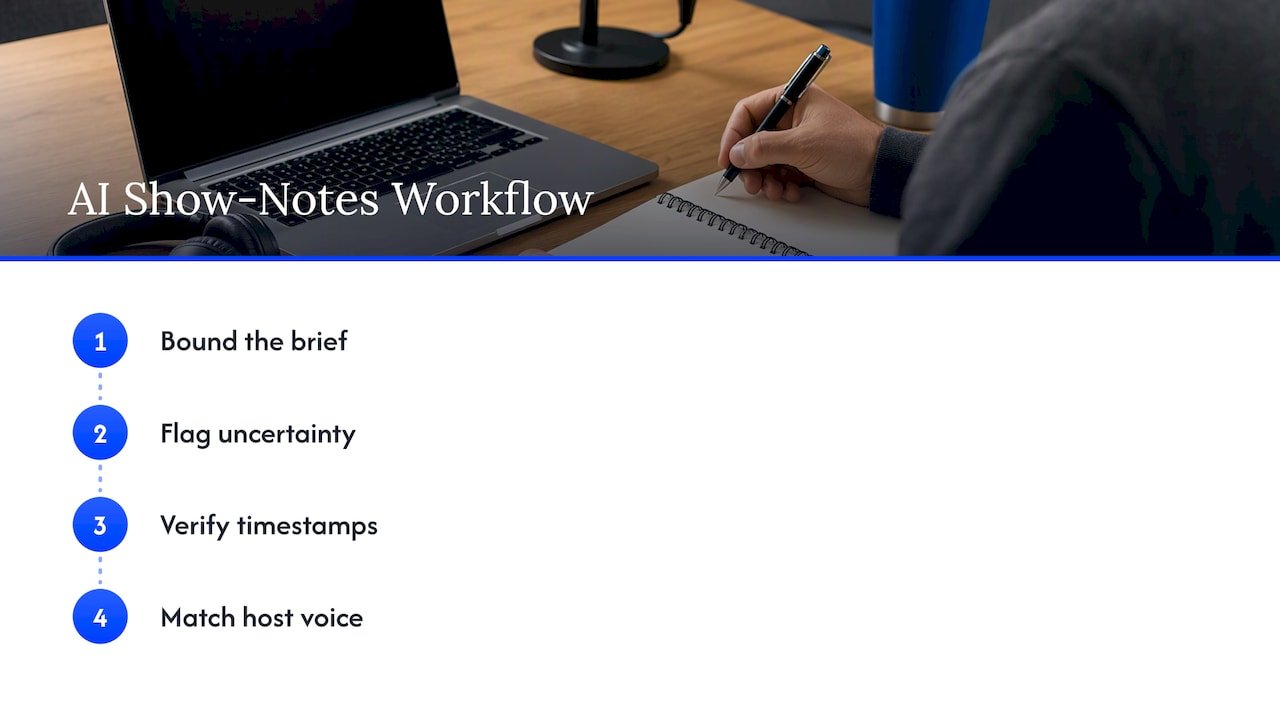
Here is the sequence we like. It’s built to keep the AI grounded in what was actually said.
Step 1: Give a bounded brief
Don’t type “write show notes.” Tell the AI who the readers are, what pieces you want, how long each should be, and what it must not do. A short brief might read: write for affiliate marketers who listen on their commute, produce a 120-word summary, four takeaways, a timestamped outline, and a list of every tool or resource mentioned, using only the transcript below.
The instruction “use only the transcript” matters more than any other. Podcast platforms that publish guidance on this say the same thing: stick to transcript material, avoid hype and edit generic phrasing. If you want a deeper habit for briefing AI on any writing job, our guide to AI content briefs shows the format we use.
Step 2: Ask it to show its uncertainty
This one small change makes review much faster. Tell the AI to add a section called “Needs a source” or “Unsure” for any claim, link, number or quote it can’t find clearly in the transcript. Prompt writers recommend exactly this kind of separation between output and judgment: ask the model to list uncertainties or claims that need review.
You’ll still check everything. But now the AI has pointed you to the shaky spots first, and you’re not hunting for them.
Step 3: Handle timestamps carefully
If your transcript includes timing data, the AI can spot topic shifts and format them as chapters. If it doesn’t, you can paste a rough outline of where topics change and ask for descriptive chapter titles. One prompt guide describes both approaches. Either way, scrub through the audio and confirm the times. A timestamp that lands thirty seconds late sends your listener into the wrong conversation and makes the whole page feel sloppy.
Step 4: Edit for your voice
AI drafts tend to open with the same stock phrases and sprinkle in language no real person would say out loud. Editing guidance from podcast hosting platforms recommends removing generic filler and matching your own style. Read the draft aloud. If you wouldn’t say a sentence to your listener, rewrite it. We’ve put together a quick workflow for humanizing AI content if you want a repeatable routine.
A show notes template you can reuse
You don’t need anything fancy. A template with headers, timestamps, a content summary, paragraphs and bullets covers what most listeners want. Here is a layout that works for a typical interview or solo episode. Paste the headings into your AI brief so the output arrives in the right shape.
| Section | What goes in it | Who checks it |
|---|---|---|
| Episode title | Descriptive, with your main topic or keyword near the front | You |
| Opening summary | 100 to 150 words written for someone who has never heard your show | You |
| Key takeaways | Three to five short points, each tied to something said in the episode | You |
| Timestamps | One line per topic shift, with a plain-language label | You, against the audio |
| Guest bio | Two or three sentences, using what the guest provided | The guest |
| Resources mentioned | Every tool, book or page named, linked by hand | You, clicking each link |
| Call to action | One next step: subscribe, join the list, or visit one page | You |
One thing worth copying from the RSS.com guidance: finish each piece with one clear call to action, such as listening to the episode or joining your email list. Give your reader a single next step. Three competing buttons usually get you none.
How to check AI show notes before you publish
This is where your credibility lives. An AI summary can sound fluent and still be wrong, and your listeners will only trust your show notes as long as they match the episode.
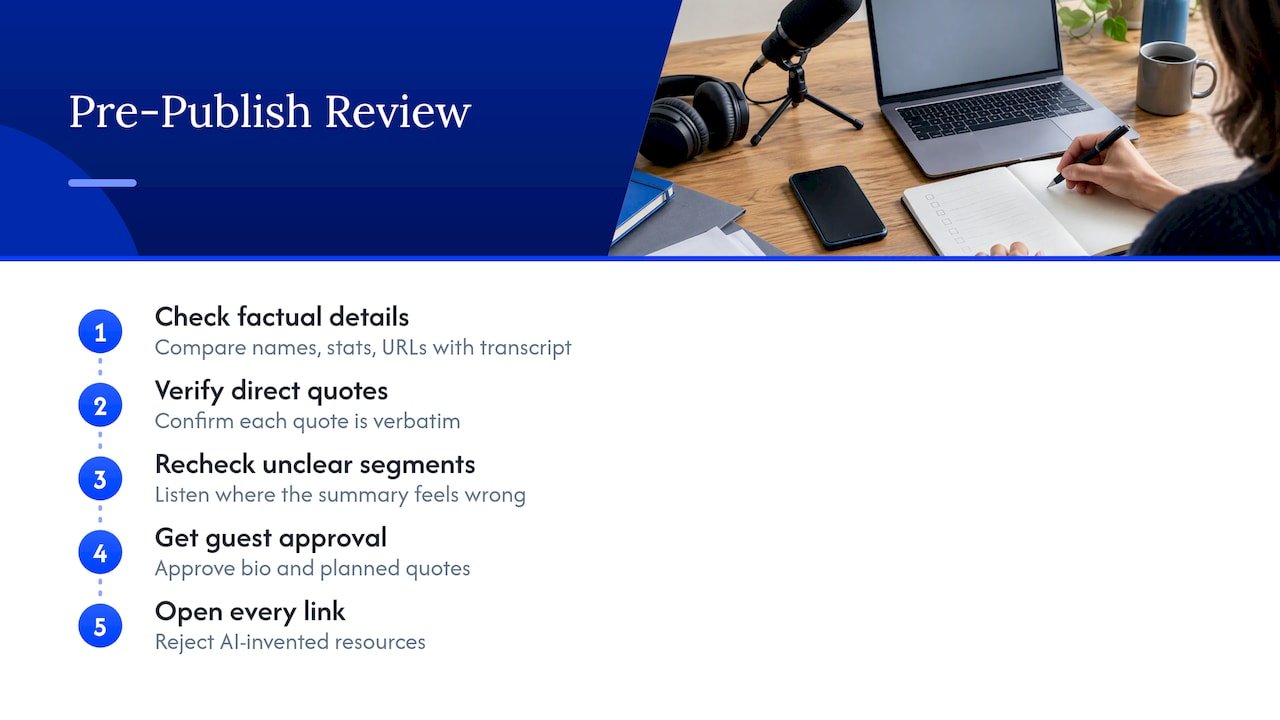
A practical review pass looks like this. First, compare every proper noun, statistic and URL with the transcript. Second, re-read any direct quote and confirm it is verbatim. Third, listen again to any segment where the AI’s summary doesn’t feel right. Fourth, ask the guest to approve their bio and any quote you plan to pull. Fifth, open every link yourself, and never let the AI invent a resource you didn’t mention.
Prompt guides for podcasters repeat the same principle: generate from the transcript only, put missing facts under a “needs a source” heading, and treat the result as a first pass in which links, bios, quotes and sponsor wording still need your approval. If you can, have someone other than the person who generated the draft do a final read. A fresh pair of eyes catches what you’ve gone blind to.
One more risk deserves a mention: compression. Show notes are a compression job, and even an accurate summary can lose nuance. If your guest spent ten minutes explaining a caveat and the summary reduces it to a confident one-liner, the notes now say something your guest didn’t. Re-read the relevant part of the transcript whenever a takeaway feels too tidy.
The broader lesson shows up well beyond podcasts. Newsroom experiments with transcript-based tools suggest the value lies in connecting searchable text to timestamped audio and surfacing quotes and suggested fact-checks, not in replacing the person who decides what’s true. If you’re also thinking about whether your AI-assisted writing might get flagged, our walkthrough of free AI content detection tools covers that side.
Turning an episode into a blog post
Show notes and a blog post are not the same thing, and this is where many podcasters stop short. Show notes sit beside the audio and help someone decide whether to listen. A blog post stands alone and answers a question for someone who may never press play.
A conversation wanders. A good article doesn’t. Guidance on repurposing says the strongest posts rearrange the material around reader questions and add headings that make the page easy to scan, rather than following the order of the interview. So after you have your clean show notes, try a second prompt: here is the transcript and the approved notes; list the five questions a reader might type into a search bar that this episode answers, then draft a post that answers them in order, using only what was said.
Then add what the audio can’t carry: a short intro, examples written for readers, and links to related pages. If you’d like a wider look at tools for this stage, we compared options in our guide to AI content repurposing tools. For the strategy side of moving one idea across formats, this overview of content repurposing strategies is a good companion read.
You might be tempted to publish the raw transcript as the post. Resist that. A transcript is a record. A post is a service to the reader.
Making your show notes work for search
Show notes can quietly become one of the best traffic sources on your site, because every episode becomes a page. A few habits help.
Give each page a descriptive title that includes the topic people would search for. Write an opening summary of around 100 to 150 words aimed at searchers, and link resources properly. That’s the checklist from one repurposing guide for SEO-friendly notes. Blog-style show notes with keywords, headers, paragraphs and bullets can help your site appear in search while pointing visitors toward offers, your email list and the episode itself.
If you want to go deeper on the technical side, such as publishing a page, a transcript and structured data for every episode, this guide on podcast SEO pages and schema walks through it. For choosing the topic and phrasing of each page, our AI keyword research workflow is a practical starting point, and if you care about being cited in AI-generated answers, the GEO playbook for marketers covers that.
What this means if you’re an affiliate marketer
If you recommend tools or products on your podcast, your show notes are where those recommendations become clickable. That makes accuracy even more important. A wrong link or a misquoted feature isn’t just an editing slip, it’s a broken promise to someone about to spend money.
So be honest about what you mentioned and why. List only the products you actually discussed, describe them in the words you used on the show, and disclose any affiliate relationship clearly near the links. Our piece on why the evidence pack comes first goes into how we gather proof before any AI-written recommendation goes live. The same thinking applies to a transcript: it is your evidence.
Common mistakes to avoid
Most problems with AI show notes come from the same few habits. The first is feeding the AI a messy or partial transcript and hoping it fills in the blanks. It will, and not always with facts. The second is accepting the first draft because it reads smoothly. Smooth is not the same as correct. The third is letting the AI add resources, quotes or statistics that weren’t in the episode. If it wasn’t said, it doesn’t belong in the notes.
The fourth mistake is publishing the same generic structure for every episode, so every page sounds alike. Vary the opening, keep the details specific to the conversation, and let your own voice come through. The fifth is forgetting the call to action. A reader who enjoys the page and has nowhere to go next is a lost opportunity, for you and for them.
Our perspective on AI show notes
We think show notes are the perfect first project for anyone learning to use AI in their marketing. The task is small, the source material is yours, and the result is easy to judge: either it matches what you said, or it doesn’t.
Here’s what we’ve learned from coaching and teaching. People get the best results when they stop treating AI as an author and start treating it as a fast, slightly overconfident assistant. You bring the evidence, which is your transcript. You set the limits, which is your brief. You make the final call. That order keeps your voice intact and saves you hours.
For affiliate marketers, there’s an extra benefit. When your show notes are accurate and clearly organized, your recommendations carry weight, and trust is what makes a link worth clicking. The time you save should go into the part no tool can do for you: showing up honestly for your audience.
Will
Build the whole workflow, not just the notes
Show notes are one link in a chain: record, transcribe, draft, check, publish, repurpose, promote. If you’d like help putting that chain together without spending your whole week on it, we’ve built resources for exactly that. Our AI affiliate workflows page has ready-to-run recipes for affiliate marketers who want to save time without cutting corners, including how to keep a human check in every step.

Start with one episode. Run it through the workflow above, time how long it takes, and see how much of your afternoon you get back. You can also join the newsletter on willbuckley.com for new tips as we publish them.
FAQ
Can AI write podcast show notes from audio alone?
Most workflows convert the audio into a transcript first and then work from that text. The transcript is what keeps the notes grounded, so its quality matters. If the transcript has errors or gaps, the notes will too, so clean it before you ask for a summary.
How long should podcast show notes be?
There’s no fixed rule, but a good pattern is an opening summary of about 100 to 150 words, three to five takeaways, timestamps, and a resource list. Longer, blog-style notes can work well for search if every section answers a real question. Shorter notes are fine for a quick episode, as long as the links and timestamps are accurate.
What should I put in an AI prompt for show notes?
Include your show name, episode title, guest name and approved bio, target listener, tone, any keywords, and your call to action. Tell the AI to use only the transcript and to list anything it can’t support under a “needs a source” heading. That last instruction makes your review faster.
Can I turn a podcast into a blog post with AI?
Yes. Start with the clean transcript and approved notes, then ask the AI to organize the content around the questions readers would ask rather than the order of the conversation. Edit the draft for your own voice, add context and links, and check each fact against what was said in the episode.
Do I still need to check AI show notes if the draft looks good?
Yes. Fluent writing can hide wrong names, invented links or a lost caveat. Check proper nouns, numbers, URLs and quotes against the transcript, confirm timestamps in the audio, and have your guest approve their bio before publishing.
Sources
- Podcast Show Notes Writer AI Agent, ClickUp
- Why Your AI Show Notes Aren’t Working, Creative Kin
- How to Repurpose Podcast Content: The Complete Guide, Podsuite
- How do you turn a transcript into posts, notes and clips?, RSS.com
- Journalist Interview Transcript to Podcast Show Notes, Whisper AI Transcribe blog
- How to Write Show Notes with AI, Promptitin
- Episode 68: How to Use AI as Your Podcast Marketing Assistant, Podcast Marketing Hub
- How to Turn a Podcast Episode into a Blog Post, Author Media
- This AI tool could give newsrooms eyes and ears, Nieman Lab
- Podcast SEO: Publish Pages, Transcripts, and Schema
- Content Repurposing: Maximising Your Marketing Impact