

You can use AI to create Instagram carousels in about four steps: pick one idea your audience already asks about, let AI draft the hook and slide-by-slide outline, design the slides yourself in a 4:5 format, then edit every line before you publish. The part AI cannot do for you is the judgment, so that is where your time should go. This guide walks through the full process, with a zero-click structure that gives readers the whole lesson inside the feed.
If you promote affiliate programs, that last point matters. You may be used to pushing every post toward a link. Carousels reward the opposite habit: teach first, earn trust, and let the click come later.
TL;DR
- A carousel is one post with up to 20 slides, and a zero-click carousel teaches the full lesson without sending anyone off Instagram.
- Use AI for the heavy lifting (idea mining, hooks, outlines, caption drafts), then edit by hand so the post sounds like you.
- Structure matters more than design: a specific-outcome cover, one idea per slide, and one clear final ask.
- Judge success by saves, shares and comments, not click-through rate.
- Review every AI draft before it goes live, including disclosure if you mention affiliate products.
Table of Contents
- What an Instagram carousel is, and why zero-click suits it
- Where AI fits in the carousel process
- How to structure a carousel that gets saved
- Get the specs right
- What to check before you publish an AI carousel
- Measure what zero-click is meant to do
- Our perspective on AI carousels
- Put the workflow into practice
- FAQ
- Sources
What an Instagram carousel is, and why zero-click suits it
An Instagram carousel is a single post that holds multiple images or videos people swipe through. Shopify’s guide says you can upload up to 20 cards and add a caption, location, tags and music. It also notes that Instagram may show a carousel again from where a viewer left off, which gives a good slide a second chance to be seen.
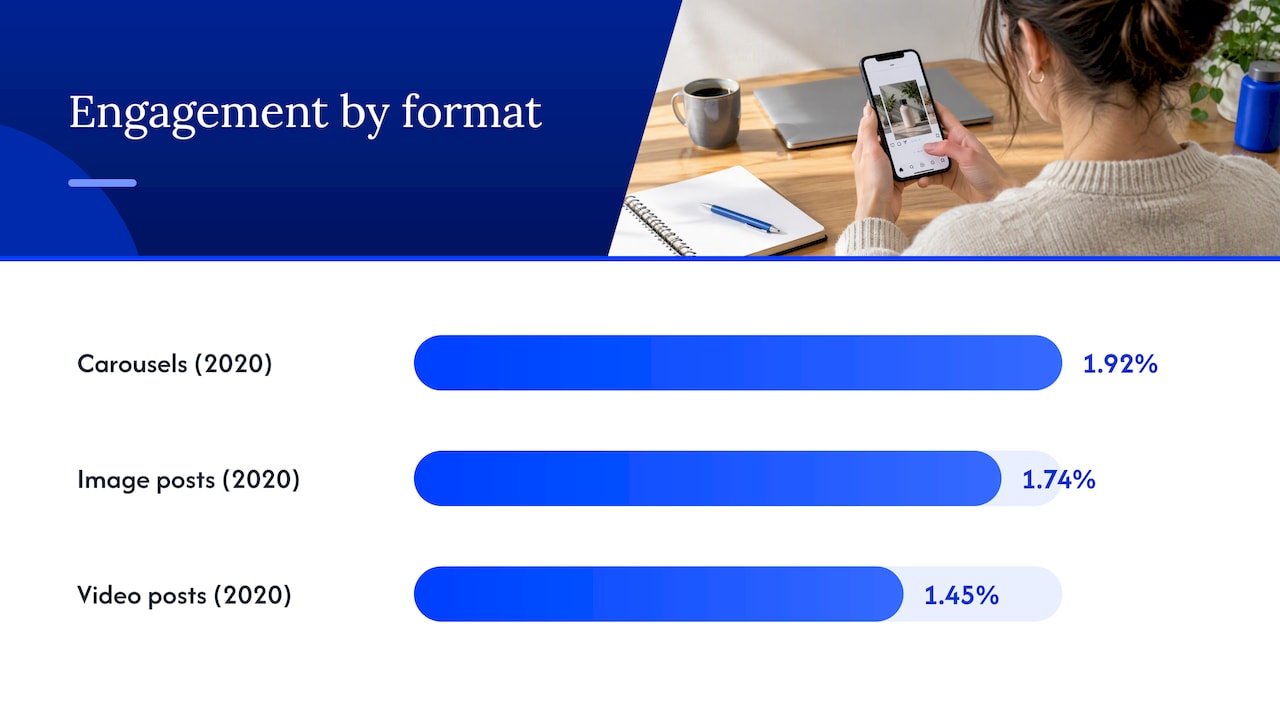
There is a decent reason to take the format seriously. A Socialinsider study reported by Search Engine Journal found average engagement of 1.92% for carousels, against 1.74% for image posts and 1.45% for video posts. That data is from 2020, so treat it as a sign of direction rather than a current benchmark. Still, many marketers have seen the same pattern: people who swipe are people who are paying attention.
Now the zero-click part. A zero-click content strategy delivers the main value inside the platform and only sends people elsewhere when a click adds something real. For a carousel, that means the essential lesson lives on the slides. Anything you link to should add proof, detail, templates or comparison, not hold information someone needs in order to understand the post.
Why would an affiliate do this? Because trust builds before a purchase decision, not during it. Upsocial’s overview argues the approach holds up in 2026 because platforms reward in-feed content and people expect value before they click. If your carousel helps someone, they remember who helped them.
Where AI fits in the carousel process
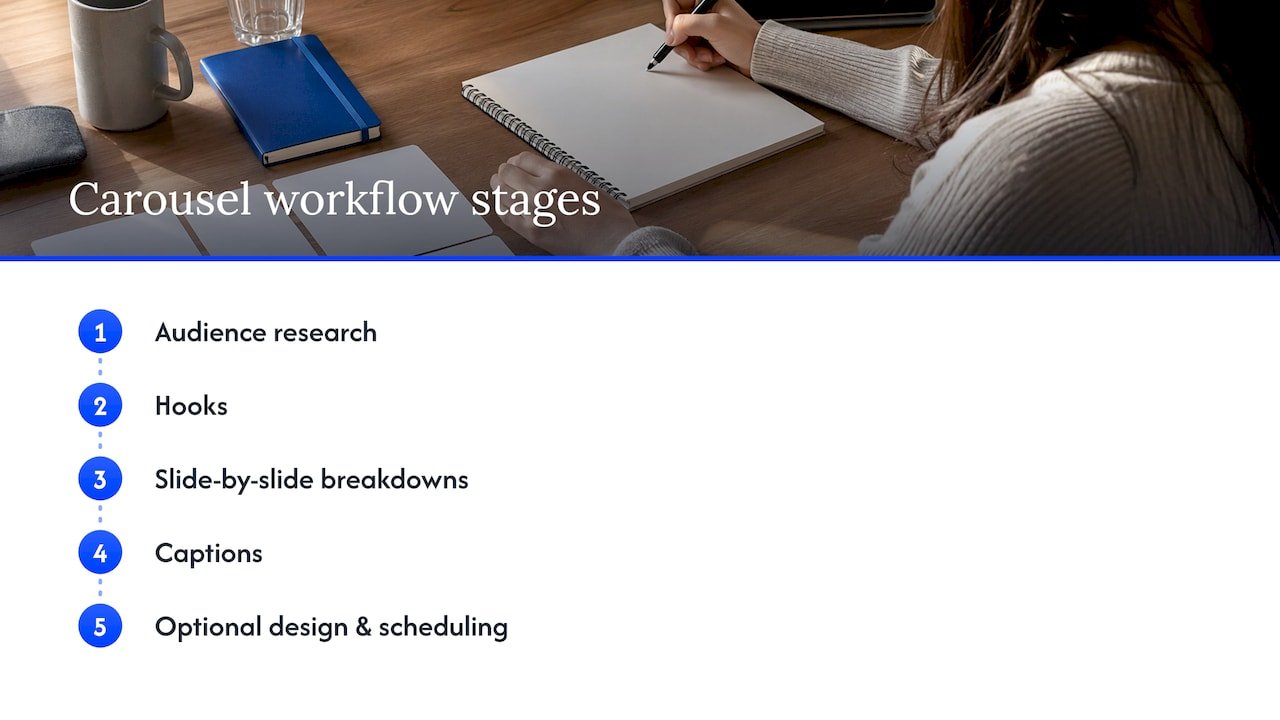
Think of AI as a fast, slightly over-eager assistant. It is great at producing options and bad at knowing which option is true for your audience. Carousel tools generally split the work into stages: audience research, hooks, slide-by-slide breakdowns, captions, and sometimes design and scheduling. You can run those stages with a general writing assistant and a design tool, or with a dedicated carousel generator. Either way, the stages are the same.
Here is the workflow I would hand to a friend who is just starting.
Step 1: Choose the topic from real questions
Start with what your audience is already asking, not with what the AI feels like writing. Good raw material includes saved posts, competitor content, customer questions, industry news, and your own expertise, as one batch-production guide suggests. The same guide recommends turning a single blog post into three to five carousels, each covering a different section or angle.
That last tip is a quiet time-saver. If you already have a post on a tool comparison or a workflow, paste it into your AI assistant and ask for five distinct carousel angles, each with one promise. Our guide to AI content repurposing tools covers how to do this without turning every channel into a copy of the last one.
Step 2: Pick a format before you prompt
AI gives much better output when you hand it a format. Four are reliably useful, according to the same batch guide: Problem-Agitate-Solve, step-by-step tutorials, myth-busting, and transformation stories. Hootsuite’s guide adds educational explainers, product showcases, before-and-after sequences, testimonials, infographics, mini-blogs and storytelling to the list.
Here are some carousel post ideas that fit an affiliate audience well:
A tutorial that shows how to set up one tool from start to finish. A myth-busting post about a common beginner belief, such as needing a huge following before you can earn. A before-and-after of a messy workflow versus a clean one. A listicle of five prompts you actually use. A comparison of two approaches, judged on criteria your reader cares about. A short story about a mistake you made and what you changed.
Adobe’s carousel guidance also recommends treating each carousel as an experiment, which takes pressure off. You are not trying to write the perfect post. You are trying to learn what your audience saves.
Step 3: Prompt for structure, not just text
A vague prompt gets you a vague carousel. Tell the AI who the reader is, what outcome the cover should promise, how many slides you want, and that each slide carries one idea. Ask for the hook in five versions. Ask for a final slide with a single call to action. If you want a deeper method for this, our post on prompt engineering workflows for affiliates shows how to build prompts you can reuse.
A prompt skeleton that works well: “You are writing for beginner affiliate marketers who struggle with X. Write a 9-slide Instagram carousel. Slide 1 is a hook promising a specific outcome. Slides 2 to 8 each teach one step in order, in under 25 words. Slide 9 recaps and asks for one action. Use plain language and no hype.”
Step 4: Design, edit and caption
Once the words are solid, move to design. Keep the layout simple: consistent fonts, high contrast, and generous spacing so each slide reads in a couple of seconds. Many tools can generate slide images or templates for you, and some let you set a brand voice or custom instructions, then review and edit queued posts before anything goes out. Whatever you use, the approval step should be yours.
Caption last. Ask the AI for a short caption that adds context rather than repeating the slides, then trim it so it sounds like you talking.
How to structure a carousel that gets saved
The research on carousel structure agrees on a few basics, and they are refreshingly simple.
Teach one thing, in order. Upsocial’s tactics list recommends a specific-outcome cover, one idea per slide, a clear payoff on the last slide, and an ask to save, comment or send a DM. Sydium’s strategy page goes a step further: make slide one a clear hook, give each middle slide one idea, and end with a single call to action instead of several competing requests.
Vary the work each slide does. Autoposting.ai points out that effective carousels alternate between claims, examples and counterexamples, so no two consecutive slides do the same job. That small rule stops a carousel from feeling like a wall of tips.
Check the size of your idea. Kutay at Creobee advises that if the payoff cannot fit on one slide, the idea is probably too big and should become a series. I like this because it gives you permission to stop cramming.
A simple nine-slide shape looks like this:
| Slide | Job | Example for an affiliate audience |
|---|---|---|
| 1 | Hook with a specific outcome | “Plan a month of posts in one sitting” |
| 2 | Name the problem | “Posting daily without a plan burns you out” |
| 3 | Promise | “Here is a 4-step process that fits one afternoon” |
| 4 to 7 | One step per slide | Gather ideas, prompt, edit, schedule |
| 8 | Recap | The four steps in one line each |
| 9 | One ask | “Save this for your next planning day” |
That shape follows the hook, problem, promise, value, recap sequence that Thistle Media’s framework describes, which also suggests a soft brand mention at the end. A soft mention is plenty. If your last slide is a hard sell, you have undone the trust the previous eight slides built.
Get the specs right
A good carousel can still look sloppy if the slides are cropped or tiny. Oktopost’s grid size guide recommends a 4:5 aspect ratio (1080 x 1350 px) for 2026, which fills more of the screen and displays properly on the 3:4 profile grid. Keep your key text away from the edges so the grid crop does not clip it.
If you are assembling slides from photos or screenshots, a 4:5 Instagram collage maker can help you lay out images at the right ratio without a heavy design tool. If you plan to turn the same carousel into a Reel, check current social video size specs so your export settings are right the first time.
One accessibility habit costs almost nothing: keep text large, contrast strong, and write alt text for each image where the app allows it. A carousel that is easy to read at a glance is easier to save.
What to check before you publish an AI carousel
This is the step people skip, and it is where trust is won or lost. AI drafts often carry recognizable tells: stock phrases, inflated claims, and a uniform rhythm that no real person has. One open-source Instagram skills project builds this into its process: audit drafts for AI tells, then review and approve each one, so nothing publishes without your say.
You can borrow the habit with a short checklist you run on every post.
Read every slide out loud. If a line sounds like no one you know would say it, rewrite it. Check each fact, number and tool detail against the original source. Make sure the cover promise matches what the last slide delivers. Confirm there is one ask, not three. And if you mention a product you earn from, say so clearly. Our affiliate disclosure examples give you wording you can adapt for captions and slides.
If you want a bigger picture of why evidence should come before the draft, see why the evidence pack comes first when you create AI content for affiliate offers.
Measure what zero-click is meant to do
If you judge a zero-click carousel by link clicks, it will always look like a failure, because you designed it to need no click. Upsocial suggests measuring saves, shares and comments per post instead of click-through rate, since those actions signal valuable content to the algorithm.
Tareno’s measurement guidance widens the lens: judge content by its intended job, and track saves, shares, substantive replies, profile visits, follower growth, direct messages, branded-search lift and assisted conversions, not CTR alone. Sydium’s framework treats saves and sends as stronger signals than passive likes, because they show someone found the carousel useful enough to keep or forward.
A practical routine: post a carousel, note saves, shares and comments after a week, and write one sentence about what you think drove them. After five or six posts, patterns show up. Maybe tutorials get saved and myth-busting gets shared. Then you tell your AI assistant to produce more of what worked. For a wider view of connecting content to results, our overview of AI marketing analytics is a good next read.
Our perspective on AI carousels
We think AI carousels work best when you treat them like a rough draft from a quick, tireless intern. The draft saves hours, but your voice, your examples and your honesty are what make someone swipe to the end.
Most of the affiliate marketers I coach do not struggle with ideas. They struggle with consistency, and with the quiet fear that every post has to sell. A carousel lets you teach instead. When you teach well, people come to you when they are ready to buy.
That is why we focus on practical, time-saving AI workflows: batch your ideas once, let AI produce the first pass, then spend your energy on the part only you can do. Be patient with the first few posts. Nobody writes a great carousel on day one.
Will
Put the workflow into practice
If you would rather have a ready-made system than build one from scratch, our AI affiliate workflows guide gives you step-by-step recipes you can run this week, including content planning and repurposing. They are designed to cut the time you spend on repetitive tasks so you can focus on the posts that earn trust.

If planning is your sticking point, pair it with our AI content calendar workflow, which shows how to map a month of content in a few minutes.
FAQ
Can AI really create a full Instagram carousel?
Yes, AI can handle audience research, hooks, slide-by-slide outlines, captions and sometimes the slide images. You still need to review the result, fix anything inaccurate, and add your own voice. Treat the output as a strong first draft, not a finished post.
How many slides should an Instagram carousel have?
Instagram allows up to 20 slides, but you do not need that many. Many strong carousels run around seven to ten slides: a hook, a problem, a promise, a handful of value slides and a recap with one ask. If your payoff does not fit on one slide, split the idea into a series.
What is a zero-click strategy on Instagram?
It means giving people the full value inside the post instead of making them leave for a website. Any link you share should add extra proof, templates or detail rather than hold the lesson itself. You measure it with saves, shares and comments instead of clicks.
What should I put on the last slide?
Use one clear ask, such as saving the post, commenting with a question, or sending it to a friend. Sydium advises against stacking several requests. If you add a brand mention, keep it soft.
Sources
- Instagram Carousel: What It Is and How to Create One (Shopify)
- Instagram Carousels Are the Most Engaging Post Type (Search Engine Journal)
- The Zero-Click Content Strategy (Tareno)
- Zero-Click Content Strategy: 10 Proven Tactics (Upsocial)
- 5-Step Instagram Carousel Batch System (AttentionClaw)
- How to make the most of Instagram carousels (Hootsuite)
- The swipe-right era of social (Adobe Express)
- Instagram Carousel Strategy (Sydium)
- Instagram carousel strategy that actually gets saves (Autoposting.ai)
- Zero-Click Content: How to Grow When Nobody Clicks (Creobee)
- Instagram Carousel Strategy: How to Educate, Engage, and Convert (Thistle Media)
- Instagram grid size guide (Oktopost)
- Instagram marketing skills (GitHub)
- Instagram Collage Maker: 4:5, Square and Story
- Social Video Specs for 2026