

Pinterest is a genuinely effective channel for affiliate marketing when you treat it like the visual search engine it actually is. Match your pin’s promise to the offer, follow the platform’s disclosure rules, and publish consistently. That’s the whole game. Most beginners who stick with it see their first commissions after 3–6 months of consistent effort.
Here’s what to do right now, before you read another word:
- Set up a Pinterest business account (free, takes ten minutes)
- Add a short affiliate disclosure to your profile bio and every promotional pin
- Decide whether you’ll link directly to an offer or use a bridge page
- Publish several keyword-optimized pins across a handful of boards in your chosen niche
- Install UTM parameters on every affiliate link so you can track what’s actually working
You don’t need a blog, a big following, or a paid ads budget to start. You do need patience. Pinterest rewards consistency over time, not viral moments.
Table of Contents
- What is Pinterest affiliate marketing and how does it work?
- Why does Pinterest work so well for affiliate sales?
- What the rules require: Pinterest policy, FTC disclosures, and content that gets flagged
- How to set up your Pinterest account for affiliate marketing
- How to build pins that actually get clicks
- Linking strategy: direct links vs. bridge pages vs. blog reviews
- How to schedule content and use Pinterest Trends to grow faster
- What to measure and how to optimize your Pinterest affiliate campaigns
- Common mistakes that kill conversions or trigger policy issues
- AI-driven workflows and prompt templates to scale your pin creation
- Key Takeaways
- What actually works on Pinterest (and what the gurus skip)
- Ready to build your Pinterest affiliate system faster?
- Useful sources and official references
What is Pinterest affiliate marketing and how does it work?
Pinterest affiliate marketing means placing tracked affiliate links on your pins so that when someone clicks through and buys, you earn a commission. The mechanics are simple: you create a pin with an image and description, attach an affiliate link, and Pinterest’s search algorithm surfaces that pin to users who are already looking for what you’re promoting.
Pinterest allows direct affiliate links on pins, so you don’t need a website to get started. That said, there are three practical delivery models, and each one fits a different type of offer.
Direct affiliate link. Your pin links straight to the product or offer page. Works well for low-ticket, impulse-friendly products where the user doesn’t need much convincing. Think kitchen gadgets, printables, or budget beauty finds.
Pin to bridge page. Your pin links to a short page you control, which pre-sells the offer and then sends the reader to the affiliate link. Better for mid-ticket items where trust matters, and it gives you a place to put your disclosure prominently.
Pin to blog post or review. Your pin links to a full article that covers the product in depth, includes your affiliate links naturally, and can also capture email subscribers. This model takes more setup but tends to produce the most durable results for higher-ticket or trust-dependent offers like software, courses, or finance tools.
A quick example: a pin promoting a $30 kitchen scale can link directly to Amazon Associates with a short disclosure in the description. A pin promoting a $300 online course should probably link to a review post that explains the course, shows who it’s for, and earns the click to the sales page.
Why does Pinterest work so well for affiliate sales?
The short answer: about 75% of weekly Pinterest users are actively shopping or planning purchases. That’s a fundamentally different mindset than someone scrolling a social feed out of boredom. When someone searches “small bedroom organization ideas” on Pinterest, they’re often ready to buy the products that solve that problem.

Pinterest is a visual search engine, not a social network. Your reach depends on keyword alignment, not how many followers you have. A brand-new account with zero followers can rank a well-optimized pin in front of thousands of people within days. That’s a real advantage for affiliates who are just starting out.
Certain niches consistently outperform others on the platform:
- Home decor and organization — high purchase intent, visually driven, strong Amazon Associates fit
- Recipes and food — massive search volume, works well with kitchen tools and specialty ingredients
- Personal finance — users planning budgets respond well to tool recommendations (budgeting apps, investing platforms)
- Health and wellness — supplements, fitness equipment, and wellness courses all convert here
- DIY and crafts — strong overlap with Etsy sellers and craft supply affiliates
The other advantage is shelf life. A well-optimized pin can keep generating traffic for months without any additional effort. Social media posts disappear in hours; a Pinterest pin is more like a blog post that compounds over time.
What the rules require: Pinterest policy, FTC disclosures, and content that gets flagged
Compliance isn’t optional, and it’s not complicated. Get these two things right and you’ll avoid most of the problems that get affiliate accounts flagged.
Pinterest’s own rules allow affiliate links but prohibit masking your destination URL, using link shorteners that hide where the click goes, and publishing pins that mislead users about what they’ll find when they click. The platform increasingly favors transparent destination URLs and can flag or remove pins that use cloaked or shortened links.
FTC endorsement guidelines require that you clearly and conspicuously disclose your affiliate relationship before the reader clicks. “Conspicuous” means the disclosure has to be where users actually see it, not buried at the bottom of a long description or hidden in a hashtag pile. The FTC’s guidance is explicit: disclosures placed after a “see more” truncation or in a location users are unlikely to notice don’t meet the standard.
A simple, compliant disclosure looks like this: “This pin contains affiliate links. I may earn a small commission if you purchase through my link, at no extra cost to you.” Put it near the top of your pin description, before the link.
Common red flags that trigger removals:
- Using bit.ly or similar shorteners to mask affiliate URLs
- Pin image or headline promises something the destination page doesn’t deliver
- Posting the same affiliate pin repeatedly across many boards in a short window
- Descriptions that read as pure sales copy with no genuine value for the reader
Pro Tip: Write your disclosure first, then your pin description. When disclosure comes last, it often gets cut for space or pushed below the fold. Leading with it protects you and builds reader trust at the same time.
How to set up your Pinterest account for affiliate marketing
Follow these steps in order. Skipping the early setup tasks creates problems later that are annoying to fix.
-
Create a Pinterest business account. Go to pinterest.com/business/create and sign up. A business account gives you access to Pinterest Analytics, the ability to claim your website, and Rich Pins. It’s free.
-
Claim your website. If you have a blog or bridge page domain, claim it in your account settings. This adds a verified checkmark and unlocks Rich Pins for your domain.
-
Enable Rich Pins. Rich Pins pull live metadata from your site into the pin, including article titles, product prices, and descriptions. For affiliate bloggers, Article Rich Pins are the most useful. Validate your site at developers.pinterest.com/tools/url-debugger and submit for approval.
-
Optimize your profile. Your display name and bio are searchable. Put your primary niche keyword in your name field (you have 65 characters) and your most important keyword phrase in the first line of your bio (60 characters). Think “Home Organization Ideas | Budget Decor Tips” rather than a generic tagline.
-
Build your board structure. Create several boards before you start pinning. Name each board with an intent-based keyword phrase, not a clever title. “Small Bedroom Storage Ideas” outperforms “My Cozy Room” every time. Write a keyword-rich board description for each one.
-
Research keywords using Pinterest’s own tools. Type your niche topic into the Pinterest search bar and note the guided search bubbles that appear below. These are real search terms users are entering. Cross-reference with Pinterest Trends to see which terms are rising vs. declining. Build a list of numerous seed keywords before you create your first pin.
-
Set your publishing cadence. Aim for several fresh pins per day in your first month. Use a scheduling tool like Tailwind to spread them out rather than publishing in bursts, which can look spammy to the algorithm.
-
Create your disclosure template. Write one standard disclosure sentence and save it somewhere you can paste it quickly. You’ll use it on every promotional pin.
How to build pins that actually get clicks
The visual and the copy have to work together. A beautiful image with a vague headline doesn’t convert. A clear headline on a cluttered image doesn’t either.

Visual rules that hold up
Use a tall aspect ratio optimized for Pinterest’s standard image size. Canva has Pinterest-specific templates at this size and integrates directly with Pinterest for publishing. Lifestyle images, where the product appears in a real-world context, typically outperform plain product shots because they help users picture the item in their own lives. Keep text overlays short: a headline of 5–8 words, large enough to read on a phone screen without zooming.
Writing pin copy that converts
Put your primary keyword in the first 50–60 characters of your pin description. Pinterest’s algorithm reads the opening of your description heavily for ranking, and users see that truncated preview before they expand. After the keyword, add your disclosure, then a short sentence about what the reader will find when they click. Match the promise in your pin exactly to what’s on the destination page. If your pin says “5 budget kitchen tools under $20” and the page sells a $150 appliance, your bounce rate will be brutal.
Formats worth testing
Static images are the easiest to produce and still drive the most affiliate clicks for most niches. Short video pins (15–30 seconds) work well for demonstrating a product or showing a before-and-after. Idea Pins (multi-frame, story-style) build saves and engagement but don’t support external links in the same way, so they’re better for brand building than direct affiliate conversion.
Pro Tip: Test one variable at a time. Create two versions of a pin with different headlines but the same image. Run them for two weeks, then check which one has a higher click-through rate in Pinterest Analytics. Swap the losing headline and test again. This keeps your creative improving without disrupting algorithmic momentum.
Linking strategy: direct links vs. bridge pages vs. blog reviews
The right linking model depends on the offer’s price point, complexity, and how much trust the buyer needs before converting.
| Strategy | Best for | Pros | Cons |
|---|---|---|---|
| Direct affiliate link | Low-ticket, impulse buys (under $50) | Fast setup, no website needed, immediate traffic to offer | Lower trust, short cookie windows hurt you, no email capture |
| Bridge page | Mid-ticket offers, software, subscriptions | Pre-sells the offer, clear disclosure placement, can capture emails | Requires a landing page, adds a step in the funnel |
| Blog post / review | High-ticket, trust-dependent offers (courses, finance tools) | Builds authority, multiple affiliate links per post, SEO compound value | Slower to set up, needs consistent content |
Direct affiliate links yield faster but lower-trust conversions; bridge pages and full blog reviews pre-sell and typically improve conversion for higher-ticket items. Experienced affiliates often prefer bridge pages for software, courses, and finance offers because they allow pre-selling, prominent disclosure placement, and email capture all in one step.
Cookie windows matter more than most beginners realize. Amazon Associates gives you just 24 hours from click to purchase. If your Pinterest audience tends to save pins and come back later, that window works against you. Networks like ShareASale and ClickBank offer longer cookie windows and, for digital products, higher commission percentages. When you’re choosing affiliate programs, prioritize those with cookie windows of at least 30 days for a platform where the consideration cycle can stretch over days or weeks.
For UTM tracking, add parameters like this to every affiliate link you place on a pin: ?utm_source=pinterest&utm_medium=social&utm_campaign=[board-name]&utm_content=[pin-name]. This lets you see in Google Analytics or your affiliate dashboard exactly which pins are driving clicks and conversions, not just which channel.
How to schedule content and use Pinterest Trends to grow faster
Timing on Pinterest is less about posting at the right hour and more about posting the right topic at the right point in the season. Plan seasonal content at least 45 days ahead of peak search dates. If you want to capture “holiday gift ideas for her” traffic in late November, your pins need to be indexed and gaining traction by mid-October.
Here’s how to build a seasonal content rhythm:
- Open Pinterest Trends and search your niche keywords. Look at the historical search volume curves to identify when interest spikes each year.
- Map those spikes to a content calendar and work backward 45–60 days to set your publishing deadlines.
- Use Tailwind to schedule pins in advance. Tailwind’s SmartSchedule feature posts at the times your specific audience is most active, which removes the guesswork from timing.
- Batch your creative production. Design 10–15 pins in a single Canva session rather than making one at a time. Template libraries let you swap images and headlines without rebuilding the layout from scratch.
- Aim for 5–10 fresh pins per day during growth phases. “Fresh” means a new image or a meaningfully different description, not just re-pinning the same image to a different board.
Scaling doesn’t mean flooding the platform. Accounts that post 50 pins in a single day and then go quiet for a week tend to see algorithmic suppression. Steady, daily publishing signals to Pinterest that you’re an active, trustworthy creator.
What to measure and how to optimize your Pinterest affiliate campaigns
Pinterest Analytics is your starting point, but it only tells part of the story. You need to connect it to your affiliate network dashboard and your UTM data to see the full picture.
Metrics that matter for affiliate marketers:
Impressions tell you whether your pins are being surfaced in search. Low impressions usually mean a keyword or freshness problem. Saves indicate that users found the content valuable enough to bookmark. Closeups (when someone taps to expand a pin) show that the image caught attention. Link clicks are the metric that actually connects to revenue. Track your link click rate (link clicks divided by impressions) as your primary performance indicator.
Downstream conversions live in your affiliate network dashboard. Cross-reference those conversion dates and amounts against your UTM data to identify which specific pins and boards are driving sales, not just traffic.
A simple weekly optimization loop keeps things moving without becoming a full-time job. Every Monday, pull your link click data from the past seven days. Pause any pin that has more than 500 impressions and fewer than five link clicks. Double down on your top three performers by creating two or three variations of each. Adjust the headline or swap the image, keep the best-performing copy, and schedule the new versions for the week ahead.
Common mistakes that kill conversions or trigger policy issues
Most Pinterest affiliate problems fall into a small number of repeatable patterns. Here’s what to watch for and how to fix each one quickly.
- Thin promotional pins with no value. A pin that says “Click here to buy!” with a product photo gives the user no reason to click. Fix it by adding a specific benefit or outcome in the headline: “5 storage bins that doubled my closet space” performs far better than a generic product push.
- Promise-destination mismatch. Your pin headline says “free meal plan” but the link goes to a paid program signup. Pinterest users click back immediately, which tanks your pin’s performance score. Always preview your destination before publishing and make sure the pin’s promise is delivered on the first screen of the landing page.
- Missing or buried disclosure. Placing your affiliate disclosure after three paragraphs of description, or in a hashtag, doesn’t meet FTC standards. Move it to the first two lines of every promotional pin description.
- Link cloaking and URL shorteners. Avoid URL shorteners and cloaking in your pin destination fields. Use the raw affiliate URL or a transparent redirect from your own domain. Pinterest can flag shortened links as spam, and repeated violations can result in account suspension.
- Publishing in bursts. Posting 30 pins on Monday and nothing for the rest of the week looks spammy to Pinterest’s algorithm. Use Tailwind or Pinterest’s native scheduler to spread your publishing evenly across the week.
- Ignoring cookie windows when choosing programs. If you’re promoting Amazon products to a Pinterest audience that saves pins and returns days later, you’re losing most of your potential commissions to the 24-hour cookie. Shift toward programs on ShareASale or similar networks with longer attribution windows.
AI-driven workflows and prompt templates to scale your pin creation
The biggest bottleneck for most Pinterest affiliates isn’t strategy. It’s production. Creating fresh pins consistently, week after week, is where most people slow down or stop. AI tools can cut that production time significantly when you use them with a clear workflow.
Here’s a compact, repeatable process:
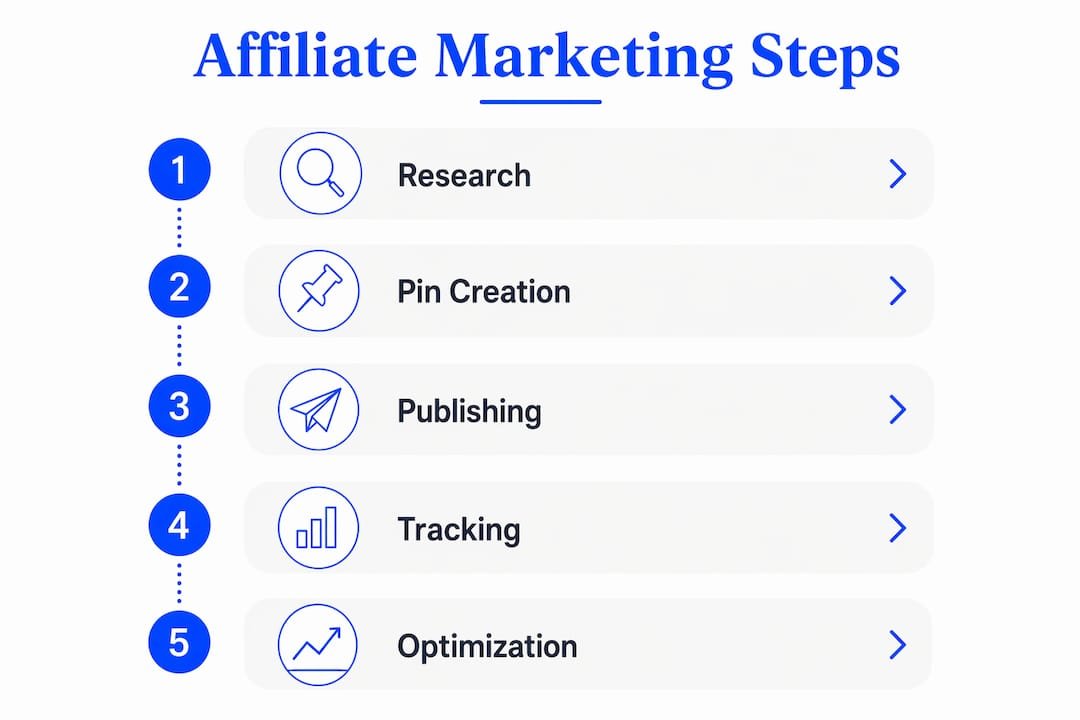
Research → AI-assisted creative → human editing → scheduling → measure.
Start with your keyword research in Pinterest Trends and your affiliate network’s top-converting offers. Then use an AI writing tool to generate image concepts and pin descriptions at scale. Edit every output before it goes live. Schedule with Tailwind. Review metrics weekly and feed the winners back into the next round of prompts.
Prompt template for pin description writing:
Prompt template for image concept ideas:
Pro Tip: AI-generated pin descriptions are a starting draft, not a finished product. Always read them aloud before scheduling. If a sentence sounds stiff or generic, rewrite it in your own voice. The human edit is what separates pins that feel authentic from ones that feel like filler.
The Willbuckley blog has longer versions of these workflows, including prompt libraries and Canva template guides built specifically for affiliate marketers using AI to scale their content.
Key Takeaways
Pinterest affiliate marketing works best when you combine intent-first keyword optimization, compliant linking, and consistent creative testing across a 90-day runway.
| Point | Details |
|---|---|
| Start with compliance | Add an FTC-compliant disclosure to every promotional pin before you publish anything. |
| Match link type to offer | Use direct links for low-ticket impulse buys; use bridge pages or blog reviews for higher-ticket, trust-dependent offers. |
| Prioritize programs with longer cookies | Amazon Associates’ 24-hour cookie window works against Pinterest’s longer consideration cycle; favor networks like ShareASale with 30-day-plus attribution. |
| Measure link clicks, not just impressions | Pause pins with high impressions and low link clicks; double down on top performers with creative variations. |
| Willbuckley for AI-driven scaling | Willbuckley’s coaching and AI prompt workflows help affiliates build and test Pinterest campaigns faster without sacrificing quality. |
30-day checklist: Business account set up, disclosure template written, 20 optimized pins published across 2–3 boards for 2–3 offers, UTM parameters on every link.
60-day checklist: Review click data, build a bridge page or lead magnet for any trust-heavy offer that isn’t converting, launch your first A/B creative test.
90-day checklist: Scale your top three performing pins with variations, refine your niche and product selection based on actual conversion data, and start an email follow-up sequence for subscribers captured through bridge pages.
What actually works on Pinterest (and what the gurus skip)
Here’s something worth saying plainly: most Pinterest affiliate advice focuses on the setup and ignores the part that actually determines whether you make money, which is the match between the pin’s promise and the offer’s reality.
The direct-link approach works, but it works best when the product is genuinely impulse-friendly and the affiliate program’s cookie window is long enough to catch the buyer. A pin about a $25 kitchen tool linking to Amazon can earn commissions, but you’re racing a 24-hour clock on every click. The affiliates who build real income on Pinterest tend to use bridge pages not because they’re more sophisticated, but because a bridge page lets you pre-sell, capture an email, and place your disclosure in a way that actually builds trust rather than just checking a compliance box.
The niche selection question is also more important than most guides admit. Pinterest’s audience skews toward planning and aspiration. Home organization, personal finance, wellness, and recipes work because users are actively building something: a better home, a savings plan, a healthier routine. Niches that depend on urgency or scarcity tend to underperform because Pinterest users save pins to come back to later, not to act on right now.
If you’re starting fresh, pick one niche, choose two or three affiliate programs with cookie windows of at least 30 days, and commit to publishing consistently for 90 days before you evaluate results. The affiliates who quit at 60 days are usually the ones who would have seen their first commissions at day 75.
Ready to build your Pinterest affiliate system faster?
Most affiliates spend weeks figuring out what to post, how to write compliant pin descriptions, and which offers to test. Willbuckley’s coaching resources cut that learning curve significantly. The focus is on AI-driven workflows that help you produce more pins, test more offers, and find your winning creative combinations in less time.

You can start with the free content on the Willbuckley blog, which includes prompt templates, pin creation workflows, and niche selection frameworks. When you’re ready for hands-on help, the coaching and resources page walks you through what a guided implementation looks like and who it’s built for. If you want to move from “I’m figuring this out” to “I have a system that runs,” that’s the next step worth taking.
Useful sources and official references
- FTC Endorsement Guides: What People Are Asking — the primary source for affiliate disclosure requirements in the United States
- Pinterest Commercial Content Policy — what’s allowed, what’s flagged, and how disclosures should be placed
- Pinterest Trends — how to use seasonal data to plan content 45 days ahead
- Pinterest for Small Business Marketing, Sprout Social — keyword placement guidance and profile optimization
- Pinterest Marketing Strategy Guide, Shopify — Rich Pins setup, analytics overview, and scheduling tools including Tailwind and Canva
- Pinterest Marketing Guide, Hootsuite — purchase intent data and matching content to searcher intent
- Willbuckley Blog — AI prompt templates, pin creation workflows, and affiliate marketing resources