

Affiliate link tracking records every click and matches it to the right affiliate using tracking links, cookies or pixels, and server-to-server signals, so you can see exactly which content earns commissions. The practical payoff is simple: you stop guessing which posts, emails, or videos actually convert. Once you understand the mechanics, redirects, cookies, pixels, and postbacks, you can build a setup that keeps working even when browsers block third-party cookies.
TL;DR:
- Using first-party cookies on your own domain and server-to-server postbacks is essential to maintain accurate attribution when browsers block third-party cookies.
- Structuring SubIDs with clear, consistent patterns such as source, page, and date provides detailed insights for optimization and reduces reporting errors.
- Choosing simple tools like branded shorteners or WordPress plugins is effective for small setups, while hosted platforms like ClickMagick or Voluum excel at fraud filtering and multi-network reporting.
- Setting appropriate cookie windows that match the typical buying cycle, and thoroughly testing the entire tracking process, prevents common issues like lost clicks or broken attribution.
- Regularly reviewing revenue per SubID, maintaining consistent UTM naming, and filtering out fraudulent clicks sustain reliable data and clearer performance insights.
Table of Contents
- How Affiliate Link Tracking Actually Works
- Choosing Tools And Methods That Fit Your Setup
- Setting Up Reliable Tracking Step By Step
- Tracking Without Third-Party Cookies
- The Metrics That Actually Tell You What’s Working
- Fixing The Problems That Quietly Kill Your Data
- What A Real Setup Looks Like In Practice
- Why Most Tracking Advice Undersells The Cookie Problem
- Get The Templates Instead Of Building From Scratch
- Sources
How Affiliate Link Tracking Actually Works
Every affiliate link you post runs through a redirect. A visitor clicks your link, a server logs the click (referrer, timestamp, affiliate ID), then bounces them to the merchant in one hop. That single 302 redirect matters more than people think. Each extra hop adds latency, and slow redirects lose clicks on mobile connections before the visitor ever lands on the offer.
Cookies used to carry the rest of the story. A third-party cookie dropped on the merchant’s domain would remember your affiliate ID until purchase, but browsers now restrict or block that behavior entirely. First-party cookies set on your own tracking domain hold up far better.
Pixels close the loop from the merchant’s side. A small tracking pixel fires on the confirmation page and reports the sale back to the network or your dashboard.
Server-to-server postbacks skip cookies altogether. The merchant’s server sends a signed webhook directly to your tracking system when a sale confirms, which is why affiliate tracking’s core components increasingly lean on server-side confirmation rather than browser cookies alone.
The attribution model you choose decides who gets paid when multiple affiliates touch the same sale:
- Last-click: the final referrer before purchase gets full credit, still the industry default.
- First-click: whoever introduced the customer gets credit, rewarding top-of-funnel content.
- Multi-touch: credit splits across touchpoints, useful for longer buying cycles but harder to reconcile.
Choosing Tools And Methods That Fit Your Setup
You don’t need enterprise software to track affiliate performance well. You need the right layer for where you are.
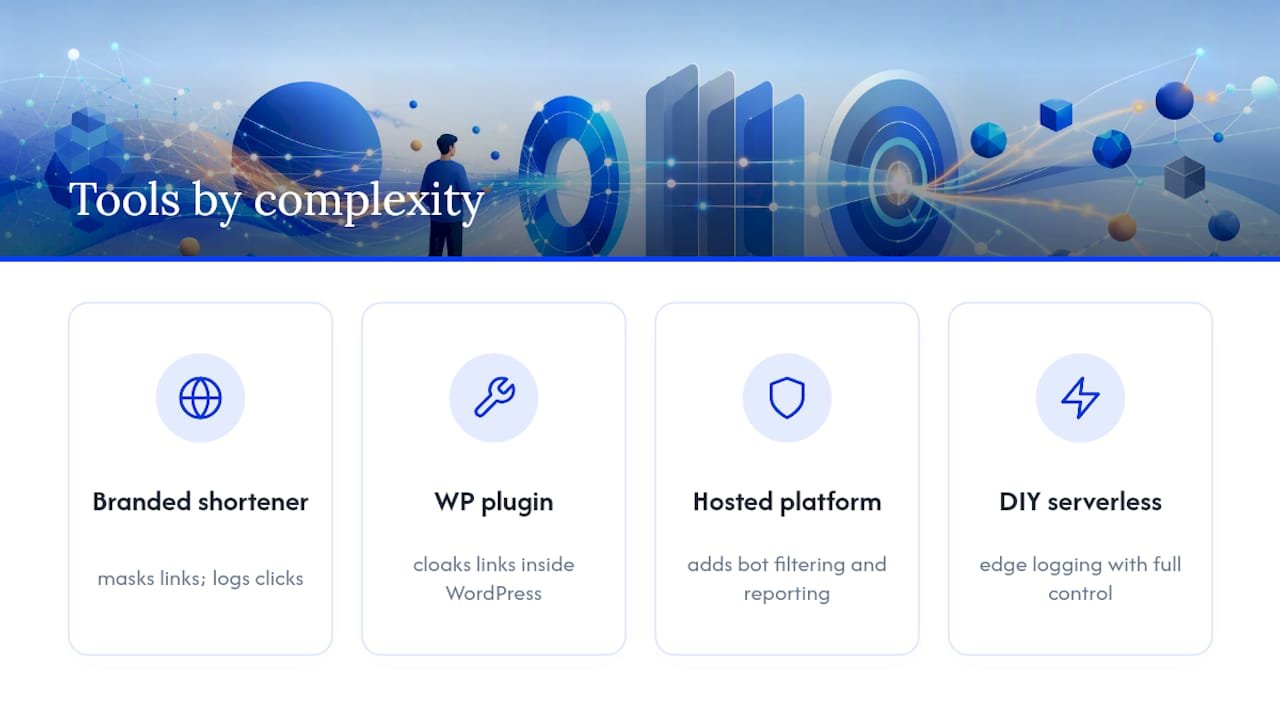
A branded shortener (Rebrandly, Bitly with a custom domain) is the entry point. It masks ugly affiliate URLs and logs clicks, and branded links can lift click-through rates compared to raw, generic short URLs because readers trust a recognizable domain over a string of random characters.
WordPress plugins like Pretty Links or ThirstyAffiliates cloak and organize links inside your CMS, cheap and fast, but limited on fraud filtering and S2S support.
Hosted affiliate platforms add real infrastructure: bot filtering, cookie-window control, multi-network reporting. They cost more but pay for themselves once you’re running paid traffic where fraud clicks eat your budget. Some, like ClickMagick or Voluum, specialize in exactly that use case.
DIY serverless setups give full control if you’re technical, logging clicks at the edge and redirecting instantly.
Pro Tip: Buy a short, brandable domain solely for redirects (something like go.yoursite.com). It boosts trust, keeps cookies first-party, and survives a network switch without rebuilding every link.
Setting Up Reliable Tracking Step By Step
Building a tracking system that won’t fall apart takes about an hour if you follow the sequence in order.
- Pick your tracking domain. Use a subdomain you control (go.yoursite.com), not a bare affiliate network URL. This keeps cookies first-party and your links memorable.
- Generate the affiliate link and append a SubID. Structure it consistently, something like
source_page_YYYYMMDD, so every report tells you exactly which post or email drove the click. Structured SubIDs are the detail most publishers skip, and it’s the one that makes optimization possible later. - Layer on UTM parameters for your own analytics stack, separate from the SubID so you’re not overwriting network-level data.
- Install the merchant’s pixel or configure the S2S postback. Map each incoming parameter to your affiliate ID field so conversions attribute correctly the first time.
- Set your cookie window to match the buying cycle. A 30-day window fits impulse purchases; SaaS or high-ticket items often need 60 or 90 days. Document whichever you choose.
- Test end-to-end. Click your own link in an incognito window, complete a sandbox purchase if the merchant allows it, and confirm the click and conversion both show up in your dashboard before you drive real traffic.
Skipping step six is the single most common reason trackers “just stop working” a month after launch.
Tracking Without Third-Party Cookies
Browser privacy features (Safari’s ITP, Firefox’s ETP) and mobile in-app browsers routinely strip or isolate third-party cookies, which quietly breaks last-click attribution for anyone still relying on the merchant’s cookie alone.
A few adjustments keep your numbers accurate:
- Set your own first-party cookie on your tracking subdomain instead of depending on the merchant’s.
- Use server-to-server postbacks as the fallback, confirmed with HMAC-signed webhooks and a short replay window so a replayed request can’t fake a second sale.
- Prompt for tracking consent where it’s required, and keep the language simple regardless of where your reader is located.
- Mirror refunds and chargebacks back into commission reversals, so a returned product doesn’t leave you overpaid on a sale that no longer exists.
The Metrics That Actually Tell You What’s Working
Five numbers matter more than the rest of your dashboard combined:
- CTR (click-through rate): are people clicking the link at all?
- Conversion rate: of those clicks, how many buy?
- EPC (earnings per click): your real efficiency number across offers.
- Revenue per SubID: which specific post, email, or placement is actually paying rent.
- Refund rate: commissions that look good on day one but vanish by day thirty.
Breaking revenue down by SubID is where the real optimization happens. If one blog post’s SubID consistently outearns the other nine, that’s your signal to build more content like it, not to spread effort evenly across everything you’ve published.
Keep UTM naming consistent across campaigns, or you’ll double-count sessions when two slightly different tags represent the same traffic source. A market-intelligence tool like Prowl can help surface which channels are actually driving qualified clicks once your data is clean enough to trust. Run a five-minute check every week: sort by revenue per SubID, retire what’s flat, and double down on what’s compounding.
Fixing The Problems That Quietly Kill Your Data
Most broken tracking isn’t a tool failure. It’s a process gap.
- Inconsistent SubIDs make reporting useless. Fix it with one naming standard, applied by a template or script, never typed manually.
- Long redirect chains slow clicks and lose visitors on weak mobile connections. Collapse every link to a single hop.
- Duplicate attribution happens when both a cookie and an S2S postback report the same sale. Reconcile by timestamp and network order ID.
- Bot and fraud clicks inflate CTR while tanking conversion rate. Bot filtering catches most of it automatically.
- In-app browsers on iOS and Android handle cookies differently than Safari or Chrome. Test your links from inside Instagram or TikTok, not just your desktop browser.
Pro Tip: *If conversion rate suddenly drops but clicks stay flat, check for a broken redirect before you blame the offer.
What A Real Setup Looks Like In Practice
A SubID pattern like blogpost_reviewpage_20260315 tells you everything in one glance: source type, specific page, and date, sortable in any spreadsheet without extra tagging. That’s the same structure behind the numbers in Willbuckley’s affiliate marketing case study, where SubID level reporting is what actually revealed which content was worth scaling.
Pair that naming convention with an automated linking workflow instead of tagging every link by hand, and you remove the single biggest source of reporting errors: human inconsistency.
Why Most Tracking Advice Undersells The Cookie Problem
Most guides still treat cookies as the backbone of affiliate tracking and mention server-to-server postbacks as an afterthought for “advanced” users. That ordering is backwards. Cookie loss isn’t a future risk to plan around eventually. It’s already eating attribution today, quietly, one blocked click at a time, and the publishers who notice first are the ones checking SubID-level revenue weekly instead of glancing at network totals monthly.
The conventional fix, just switch to a bigger affiliate platform, misses the real lesson: the setup matters more than the software. A first-party tracking domain, a documented cookie window, and a consistent SubID naming convention will outperform an expensive platform configured carelessly.
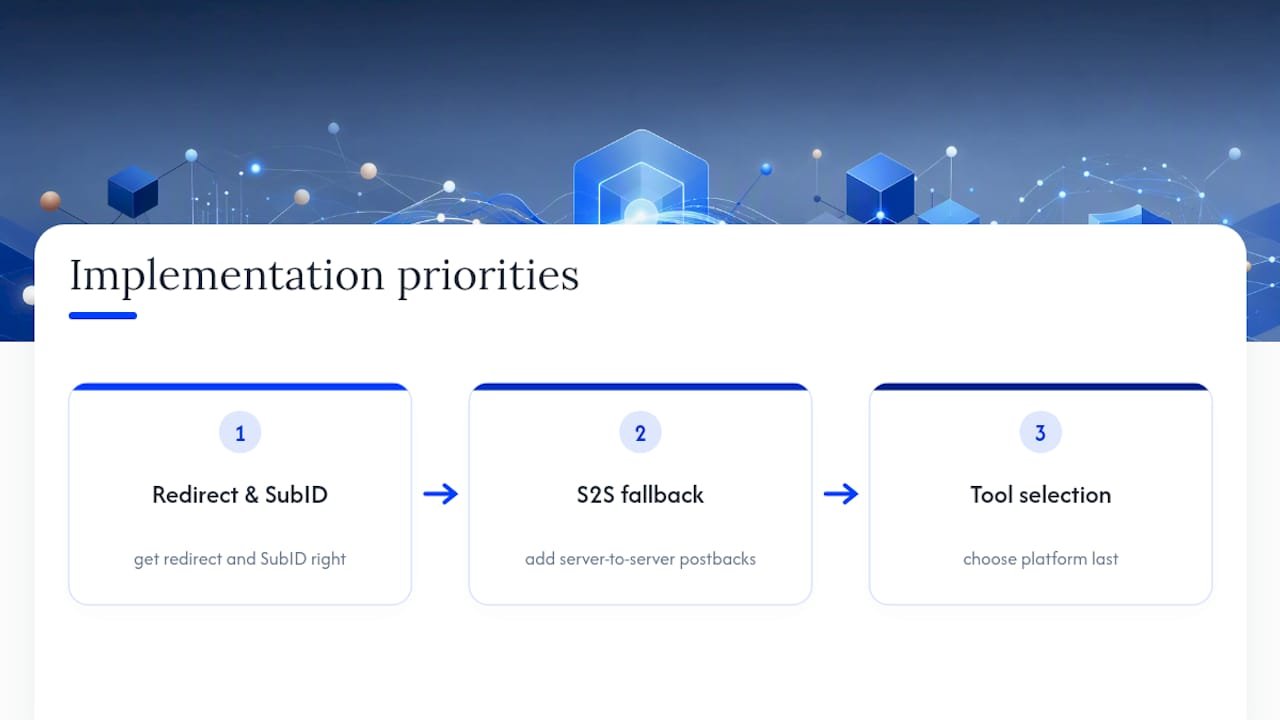
If you’re implementing this yourself, prioritize in this order: get the redirect and SubID structure right first, add S2S as your fallback second, and treat tool selection as the last decision, not the first. Most publishers do it backwards, pick the tool, then fight the setup for months.
— Will
Get The Templates Instead Of Building From Scratch
Willbuckley gives you the exact SubID patterns, redirect setups, and case-study numbers referenced above, ready to copy instead of reverse-engineered from scratch. That’s the direct advantage here: you skip the weekend of trial and error and start with a structure that’s already been tested against real campaign data.

The YouTube Automation Affiliate Marketing playbook walks through building a tracked affiliate funnel from link generation to conversion reporting, and the affiliate marketing case study shows the actual SubID breakdowns behind a real campaign, so you can see the naming convention in context rather than guessing at it. Open the playbook, pick the SubID pattern that fits your content, and set up your first tracked link today.
Sources
- How affiliate tracking works — the complete guide for brands & publishers
- Rebrandly — branded short links and link tracking
- SubID affiliate tracking guidance