

An AI lead magnet is a ready-to-export checklist, guide, template, or mini-calculator you generate from a prompt or blog URL in minutes, not days. The fastest route from idea to opt-in asset is an AI generator that accepts a short prompt or an existing blog post and hands back a headline, an outline, and a draft you can edit and brand. You don’t need a design background or a free weekend.
Here’s the action to take right now, before reading another word:
- Grab your best-performing blog post’s URL, paste it into an AI generator, and ask it to turn the post into a checklist with a headline and CTA.
Tools built for exactly this can convert a blog post or short prompt into a ready-to-use package including headline, outline, CTA, and even a follow-up email, cutting prep time significantly.
Key Takeaways
The fastest, most reliable way to build a converting lead magnet is pairing a strong source article with an AI generator, then editing the draft for voice, one concrete example, and a single clear CTA.
| Point | Details |
|---|---|
| Start with source content | Feed the generator a real blog URL instead of a vague prompt for a sharper first draft. |
| Match format to goal | Use checklists for quick wins, calculators for pricing talk, and audits to qualify leads. |
| Gate on a landing page when possible | Dedicated pages convert at 15 to 30%, well above popups or in-post offers. |
| Always edit before publishing | Tighten the headline, add one real example, and cut the CTA to one action. |
| Connect delivery to automation | Trigger instant delivery and a nurture sequence instead of manual follow-up. |
Table of Contents
- What Do AI Lead Magnet Generators Actually Create?
- How Do You Create an AI Lead Magnet Step by Step?
- How Do You Choose the Right AI Lead Magnet Tool?
- Which Lead Magnet Format Fits Your Goal?
- Where Should You Publish for the Best Conversion Rates?
- What Editing Habits Separate Good AI Lead Magnets From Bad Ones?
- How Much Time Does an AI Lead Magnet Actually Save?
- Is It Ethical to Use AI for Lead Magnets? Privacy and Copyright Basics
- What Do Real AI-Generated Lead Magnets Look Like in Practice?
- What Goes Wrong With AI Lead Magnets and How Do You Fix It?
- How Do AI Lead Magnets Fit Into a Bigger Marketing Automation Setup?
- Turn Existing Content Into Lead Magnets Faster
- The Playbook That Actually Moves the Needle
- Sources
What Do AI Lead Magnet Generators Actually Create?
Feed one of these tools a prompt, a blog URL, or even a PDF, and it works from whatever raw material you give it. A vague prompt gets you a generic outline. A specific blog post with real examples and data gets you a sharper, more useful draft, because the AI has more to pull from.
The outputs cluster into a handful of familiar shapes:
- Checklists and cheat sheets for quick, single-session value.
- Mini-ebooks or short guides for topics that need more explanation.
- Template packs (swipe files, worksheets, planning docs).
- Simple calculators or estimators for pricing and ROI questions.
- Finished files in PDF, HTML, or PPT format, ready to gate behind a form.
On the branding side, most generators let you import a brand kit (colors, fonts, logo) so the output doesn’t look like it came from a template mill. Venngage’s approach is a good example: the AI picks a format and tailors visuals to your stated audience and goal, and everything stays editable afterward rather than locked as a flat image.
One thing worth checking before you paste anything sensitive into these tools: read the terms of service on content ownership and data handling. Not every generator treats your inputs and outputs the same way, and that matters if you’re feeding it client data or unpublished research.
How Do You Create an AI Lead Magnet Step by Step?
You can go from blank page to published asset in an afternoon. Here’s the sequence that works:
- Pick the format based on the goal. Want raw lead volume? A checklist. Want to qualify buyers? A mini-audit or calculator.
- Generate the draft. Write a one to three sentence prompt describing the topic and audience, or paste a high-performing blog URL and ask the tool to extract a headline and outline from it.
- Edit for your voice. Tighten the language for your specific audience, swap in one concrete example from your own experience, and cut the CTA down to a single, clear action.
- Brand and export. Import your brand kit, then choose PDF for downloads, HTML for embedding, or PPT if you’re repurposing it into a webinar or sales deck.
- Publish and connect the follow-up. Decide whether it lives on a landing page, gates a blog post, or triggers from an exit popup, then set up the email that delivers it automatically.
Pro Tip: Never publish the first draft an AI gives you word for word. Read it out loud once. If it sounds like a robot wrote it, your reader will feel that too, and they’ll bounce before opting in.
How Do You Choose the Right AI Lead Magnet Tool?
Skip the tool that looks flashiest in a demo video and check these four things instead.
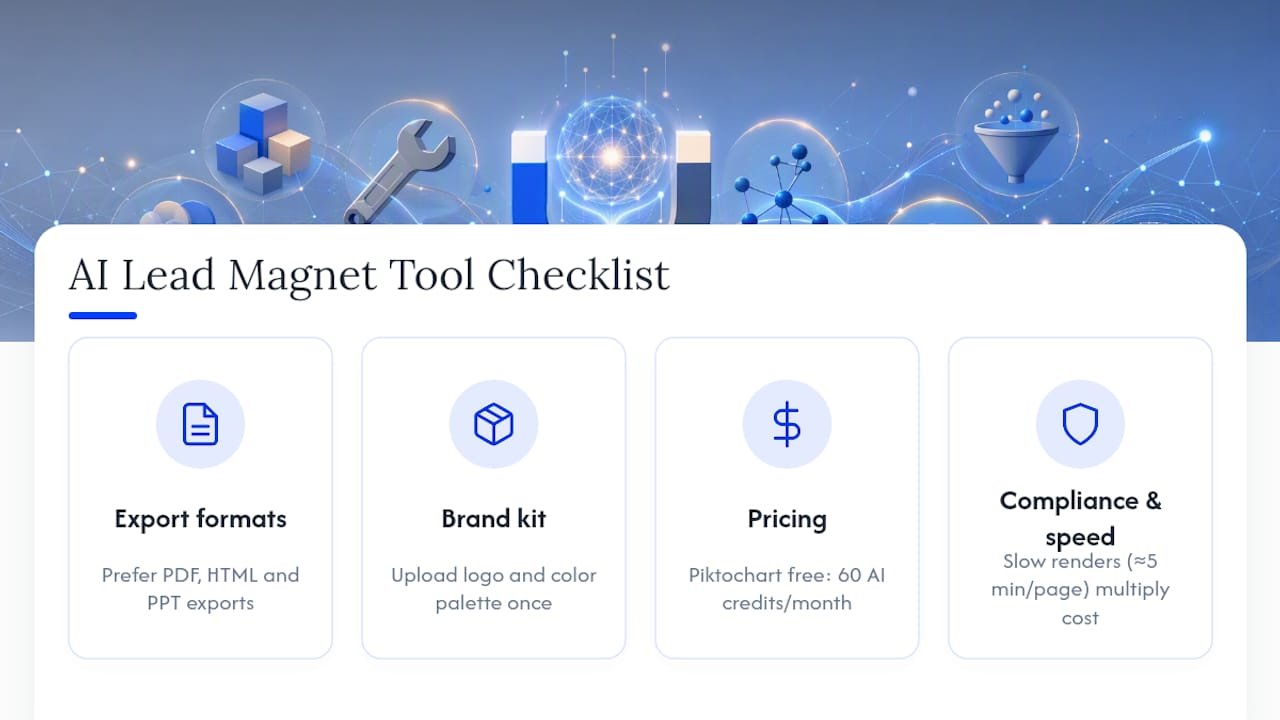
Export flexibility matters more than you’d think. If a tool only spits out PNG images, you’re stuck re-editing text in Canva every time you tweak a sentence. Look for PDF, HTML, and PPT exports, which Decktopus and similar tools treat as standard.
Brand kit import saves real hours. Uploading your logo and color palette once, instead of manually restyling every asset, is the single biggest time-saver in the whole process.
Pricing models vary more than people expect. Some tools give you monthly credits, and Piktochart’s free plan includes 60 AI credits a month, which is enough to test the workflow before committing to a subscription.
Check independent reviews before you commit. Sites like Trustpilot surface real user complaints about reliability and clunky editing that a polished sales page won’t mention.
Compliance and generation speed round out the checklist. If a tool takes five minutes to render a single page, that’s five minutes multiplied across every lead magnet you’ll ever make.
Which Lead Magnet Format Fits Your Goal?
Not every format earns its keep in every funnel. Match the asset to what you’re actually trying to accomplish.
- Checklist or cheat sheet: The fastest to produce and the easiest for a reader to finish in one sitting, which is why it tends to pull strong completion and opt-in rates for quick, top-of-funnel wins.
- Calculator or estimator: Feels personalized because the reader gets a number specific to their situation, making it a strong fit for pricing or ROI conversations where you need to pre-frame value.
- Mini-audit: Naturally qualifies the lead and pre-sells a higher-ticket service, since anyone who completes it has already told you what’s broken in their business.
- Mini-ebook or guide: Builds authority over a longer read and works best as a mid-funnel nurture asset rather than a first touchpoint.
Multiple generator platforms build their format recommendations around this same goal-first logic, and it holds up regardless of which tool you use.
Where Should You Publish for the Best Conversion Rates?
Where you gate a lead magnet changes its conversion rate more than almost any other variable. The numbers vary by placement:
- Dedicated landing page: Typically converts at 15 to 30%, the strongest range of the three, because visitors arrive with intent and no distractions.
- Exit-intent popup: Usually lands between 8 and 15%, catching visitors right as they’re about to leave.
- In-post inline offer: Runs lower, around 2 to 5%, but adds volume from readers who wouldn’t have sought out a dedicated page.
Once someone opts in, the follow-up sequence decides whether the lead magnet actually generates revenue. Deliver the asset immediately, send a genuinely useful value email within 24 hours, and save the soft pitch for the third message, not the first.
Run headline A/B tests before touching anything else, since headline changes typically move conversion more than CTA button color ever will. Before you publish, double check mobile readability, file size, working share links, and that analytics tracking is actually firing. Willbuckley’s blog covers the distribution side of this in more depth if you want to go deeper on forms and sequencing.
What Editing Habits Separate Good AI Lead Magnets From Bad Ones?
Every AI-generated draft needs a human pass before it goes live. Here’s the checklist Will runs on every asset: clarify who exactly the reader is, cut the headline down until it’s punchy, add one real example or case that an AI couldn’t have invented, and reduce the CTA to a single, unambiguous action.
For testing, run headline variants for 7 to 14 days or until you hit roughly 500 visitors, whichever comes first, then move on to testing the content itself rather than tweaking headlines forever.
The biggest productivity unlock isn’t generating faster. It’s batching. Write five outlines in one sitting, apply the same branded template to all of them, then repurpose one finished lead magnet into an email sequence and a social carousel instead of starting from zero every time.
Pro Tip: Batch-generate three headline variants at once instead of one at a time. You’ll spot the weak one immediately when they’re sitting next to each other.
How Much Time Does an AI Lead Magnet Actually Save?
The honest answer depends on how rough your starting material is. If you’re feeding the tool a polished, well-structured blog post, expect a usable first draft in minutes, and expect to spend maybe 20 to 30 minutes editing it into something publish-ready. If you’re starting from a bare prompt with no source content, plan on more back-and-forth, because the AI has nothing concrete to anchor its output to.

A realistic weekly rhythm looks like this: one afternoon to generate and edit three to four lead magnets, versus what used to take a full week of writing, designing, and formatting by hand. That’s not a guarantee, since output quality still depends on the tool and the sharpness of your source material, but it’s a reasonable planning assumption for most small teams.
Readiness varies by format too. A checklist is close to publish-ready straight out of the generator. A calculator or interactive tool usually needs more setup, because the underlying logic (the formula, the inputs, the output ranges) has to be checked by a human before it goes live. Treat AI as the tool that gets you to a strong first draft fast, not the tool that replaces your judgment about whether the math is right.
Is It Ethical to Use AI for Lead Magnets? Privacy and Copyright Basics
Using AI to build lead magnets is not inherently risky, but a few gaps deserve attention before you scale the practice across your business.
Data privacy is the first concern. If your prompts include customer data, unpublished research, or proprietary frameworks, check whether the tool trains its models on user inputs or stores them beyond the session. Terms of service differ across providers, and the safest default is treating anything you paste into a generator as potentially non-private until you’ve confirmed otherwise.
Copyright is the second issue, and it cuts two ways. First, verify you actually own the source material you’re feeding in, whether that’s a blog post, a client case study, or a competitor’s content you shouldn’t be repurposing without permission. Second, understand that AI-generated text sits in a legally unsettled space in many jurisdictions regarding copyright ownership of the output itself. For a low-stakes checklist, that ambiguity rarely matters in practice. For a paid product or something you plan to license, it’s worth a closer look.
The practical fix for both concerns is simple: use your own source content wherever possible, read the generator’s terms before uploading anything sensitive, and have a human review every asset before it reaches a prospect’s inbox.
What Do Real AI-Generated Lead Magnets Look Like in Practice?
The clearest pattern across tool comparisons is that output quality tracks directly with input quality and the specific tool chosen. A side-by-side test of four different AI tools found real variation in layout polish, text quality, and available export formats, with some tools producing near-publish-ready designs and others generating rough drafts that needed substantial rework.
That variance is the practical takeaway for anyone building a library of lead magnets: don’t assume one tool’s output quality predicts another’s. A marketer turning a popular blog post into a checklist saw the generator correctly extract the post’s core steps and reformat them as a scannable list, cutting what would have been an hour of manual outlining down to a quick edit pass. The lesson isn’t that any single tool is magic. It’s that pairing a strong source article with a capable generator produces a genuinely usable draft fast, while a thin prompt with no source material tends to produce something generic that still needs heavy rewriting.
What Goes Wrong With AI Lead Magnets and How Do You Fix It?
The most common failure is publishing the first draft without editing it. AI tends to default to generic phrasing and safe, forgettable examples, and that flatness is invisible to the person who generated it but obvious to the reader who has to opt in.
A second frequent problem is prompt vagueness. A prompt like “write a lead magnet about marketing” produces a shallow, unfocused outline, while a prompt naming the audience, the specific pain point, and the desired format produces something far more usable. Treat prompt writing as a skill, not an afterthought.
Export mismatches trip people up too. Generating a beautiful PDF is useless if your landing page tool only accepts HTML embeds, so confirm your distribution platform’s requirements before you generate anything.
Finally, watch for factual drift, especially in calculators or anything involving numbers. AI-generated formulas or claims need a human sanity check before they reach a prospect, since an error in a calculator undermines trust faster than almost any other mistake a lead magnet can make.
How Do AI Lead Magnets Fit Into a Bigger Marketing Automation Setup?
A lead magnet that lives in isolation, disconnected from your email platform and CRM, wastes most of its potential. The real value shows up when the opt-in triggers an automated sequence instead of sitting in a spreadsheet waiting for manual follow-up.
Connect the delivery email to your automation platform so the asset sends instantly, then chain a short nurture sequence behind it, a value email, a case study, and eventually a pitch, without you touching a single email by hand. Many AI lead magnet generators offer direct integrations or simple export formats that plug into common email and landing page tools, which is worth confirming during your tool evaluation.
Tagging matters here too. If your CRM can tag a lead by which magnet they downloaded, you can route a calculator lead into a sales-focused sequence and a checklist lead into a longer nurture track, rather than treating every subscriber identically. That single distinction, treating leads differently based on what they opted in for, tends to do more for conversion than any individual piece of copy.
Turn Existing Content Into Lead Magnets Faster
If you’re already publishing blog posts, videos, or social content, you’re sitting on raw material for a dozen lead magnets you haven’t built yet. Willbuckley teaches affiliate marketers and small business owners how to plug AI tools into that existing content so a blog post becomes a checklist, a video script becomes a mini-guide, and none of it requires starting from a blank page.
If you want a structured walkthrough of the exact workflow, editing checklist, and A/B testing framework covered above, check out the sample coaching resources and see how the process fits into your own content calendar.
The Playbook That Actually Moves the Needle
Most advice on this topic treats the AI tool as the hard part. It isn’t. The generation step takes minutes regardless of which tool you pick, and the differences between platforms are smaller than the marketing copy suggests. The part everyone underrates is the editing pass, and it’s the single biggest lever separating a lead magnet that converts from one that gets downloaded once and ignored.
The conventional advice to “just try a few tools and see what works” wastes time. Pick one generator with solid export options, feed it your best existing content instead of blank prompts, and spend your energy on the edit: sharper audience language, one real example, one CTA. That’s where the actual conversion lift lives, not in which AI model wrote the first draft.
If you do one thing differently after reading this, make it the source material. A thin prompt produces a thin lead magnet no matter how good the tool is. Your best blog post is already sitting there, half-built into a checklist. Go finish the job.
Sources
- Parix
- Generate High-Converting Lead Magnets in Seconds | Venngage
- Free AI Lead Magnet Generator | Piktochart
- AI Lead Magnet Generator – Create Freebies That Convert | Decktopus