

Yes, you can create publish-ready TikTok videos with AI. Do it right and nobody watching can tell the difference from filmed footage. The formula is simple: script a hook that grabs attention in the first three seconds, generate voice and visuals with an AI tool, burn captions inside TikTok’s safe zone, export in native 9:16, and label the post according to TikTok’s rules. Skip any of those steps and the video either flops or gets flagged.
TL;DR:
- Using full AI tools allows creators to generate complete TikTok videos from scratch, reducing production time to as little as 5 to 15 minutes.
- Proper labeling of AI-generated content is mandatory when realistic likenesses of people or events are involved, to maintain transparency and comply with TikTok policies.
- Content that creates deceptive or non-consensual AI likenesses of real people is strictly prohibited, regardless of labeling.
- A strong hook within the first three seconds, matched with an appropriate format, significantly improves engagement and watch time.
- A consistent workflow, including idea generation, scripting, AI visuals, captioning, and scheduled posting, supports scalable daily content creation.
Table of Contents
- What Ai Tiktok Content Tools Actually Do
- What TikTok Requires When You Post AI Content
- Your Step-by-Step Workflow From Idea to Published Video
- Making AI Content Feel Native to TikTok
- A Marketer’s 90-Day Rollout for Scaling AI Content
- Where Authenticity Still Beats Automation
- Get the Playbooks Behind This Workflow
- Sources
- FAQ
What Ai Tiktok Content Tools Actually Do
Picking the right tool matters more than picking the “best” one, because these tools solve different problems. Some assume you already have footage. Others build the whole video from a text prompt. Knowing which camp a tool falls into saves you hours of frustration.
Template editors like Canva and CapCut work best when you already have clips to edit. They turn raw footage into something polished fast, with built-in trimming, captions, and effects, but they rarely write a script or generate visuals from nothing. If you filmed something on your phone and just need it TikTok-ready, this is your lane.
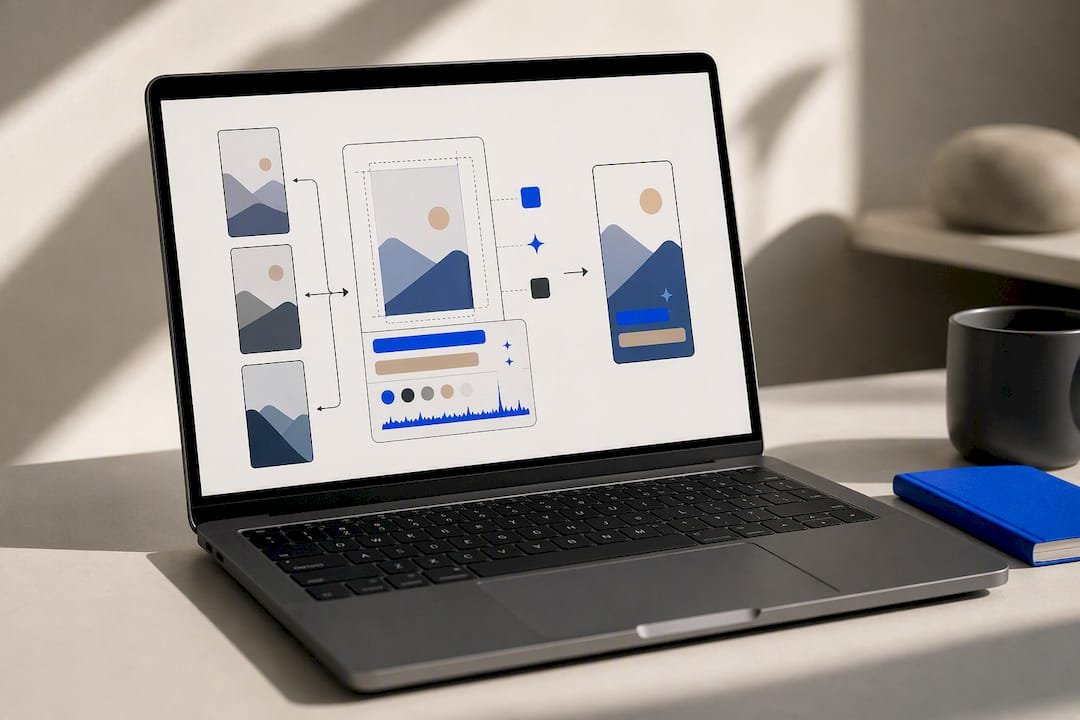
Full AI creators like Fliki take the opposite approach. Feed it a topic and it writes the hook, picks a voice, generates or sources visuals, burns captions inside the safe zone, and exports a finished 9:16 video. That end-to-end pipeline is what makes daily posting realistic without ever picking up a camera.
Idea generators solve a different bottleneck entirely: ideation. Tools like Captapi’s idea generator spit out batches of hook, format, and suggested-sound combinations before you write a single line of script. Run one of these first, then hand the winning concept to your script tool.
- Have footage already? Start with a template editor.
- Need a full video from a blank page? Use a full AI creator.
- Stuck on what to post at all? Run an idea generator first.
- Want in-platform native tools? Check TikTok’s own Symphony-style features before reaching for a third-party app.
What TikTok Requires When You Post AI Content
TikTok defines AI-generated content, or AIGC, as any media created or significantly altered by artificial intelligence, and its Help Center spells out exactly when you’re required to disclose it. If a video shows a realistic-looking person, place, or event that was AI-generated or edited, you need to label it. TikTok applies an “AI-generated” tag automatically in some cases, but creators are expected to toggle the “Creator labeled as AI-generated” option themselves whenever the platform doesn’t catch it.
Some uses are flatly prohibited, regardless of labeling: content that creates a deceptive, realistic likeness of a real person without consent, especially in ways meant to mislead voters or defraud people, crosses a line no label fixes.
Here’s the compliance checklist before you hit publish:
- Keep your export sources (script, voice files, raw generation) in case you need to prove authorship later.
- Toggle the AI label if TikTok hasn’t auto-applied one.
- Never use AI to fake a real person’s likeness for deception or financial gain.
- Double-check your video doesn’t fall under TikTok’s prohibited synthetic-media categories before scheduling.
Pro Tip: Treating the label as a routine step, not an afterthought, matters more than most creators assume. Transparency about AI use protects your account standing without hurting how the algorithm treats the post.
Your Step-by-Step Workflow From Idea to Published Video
The workflow below works whether you’re filming nothing or generating everything.
- Scan for trends and generate ideas. Run a trend scan or plug a topic into an idea generator to get hook, format, and sound suggestions in one batch.
- Pick your 3-second hook and format. Decide if this is a talking-head style video, a transition, a duet, or a storytime before writing a word of script.
- Write the script and storyboard. For 15 to 30 second videos, aim for roughly 40 to 90 words. Front-load the hook, then build to a single payoff.
- Generate voice and visuals. Choose a UGC-style AI voice, decide whether an avatar or face clone fits the format, and blend AI visuals with stock footage where needed.
- Add captions inside the safe zone. Word-by-word burned-in captions boost watch time, but only if they sit clear of TikTok’s UI overlays.
- Export and publish. Confirm native 9:16 export, check your file settings, toggle the AI label, and schedule the post.
Pro Tip: A straight template edit with your own footage takes about 5 to 20 minutes. A full AI generation with minimal manual tweaks can run 5 to 15 minutes, which is the real reason creators lean on it for daily cadence.
Making AI Content Feel Native to TikTok
A well-built video still fails if the hook doesn’t interrupt scrolling within the first three seconds. Pattern-interrupt hooks, an unexpected visual, a bold claim, a mid-action clip, do that job, and a loop-friendly ending that ties back to the opening frame keeps rewatches climbing.
Format choice matters just as much as the hook. A duet works for reaction content. A stitch works for commentary. A transition works for reveals. A storytime works for anything personal. Match the idea to the format instead of forcing every concept into the same mold.
- Keep captions inside the safe zone so text never hides behind TikTok’s UI buttons.
- Use hashtags that describe the content, not just trending tags unrelated to your niche.
- Batch videos in weekly sessions so you’re never scrambling the night before a post is due, which aligns well with content marketing automation workflows that help scale content production efficiently.
- Translate scripts and regenerate voice and captions to reach multiple language audiences without refilming anything.
Because AI removes the filming bottleneck, daily posting stops being a stretch goal and becomes a scheduling problem, and that shift alone is why the hook, payoff, loop skeleton recommended by idea-generator tools works so consistently across niches.
A Marketer’s 90-Day Rollout for Scaling AI Content
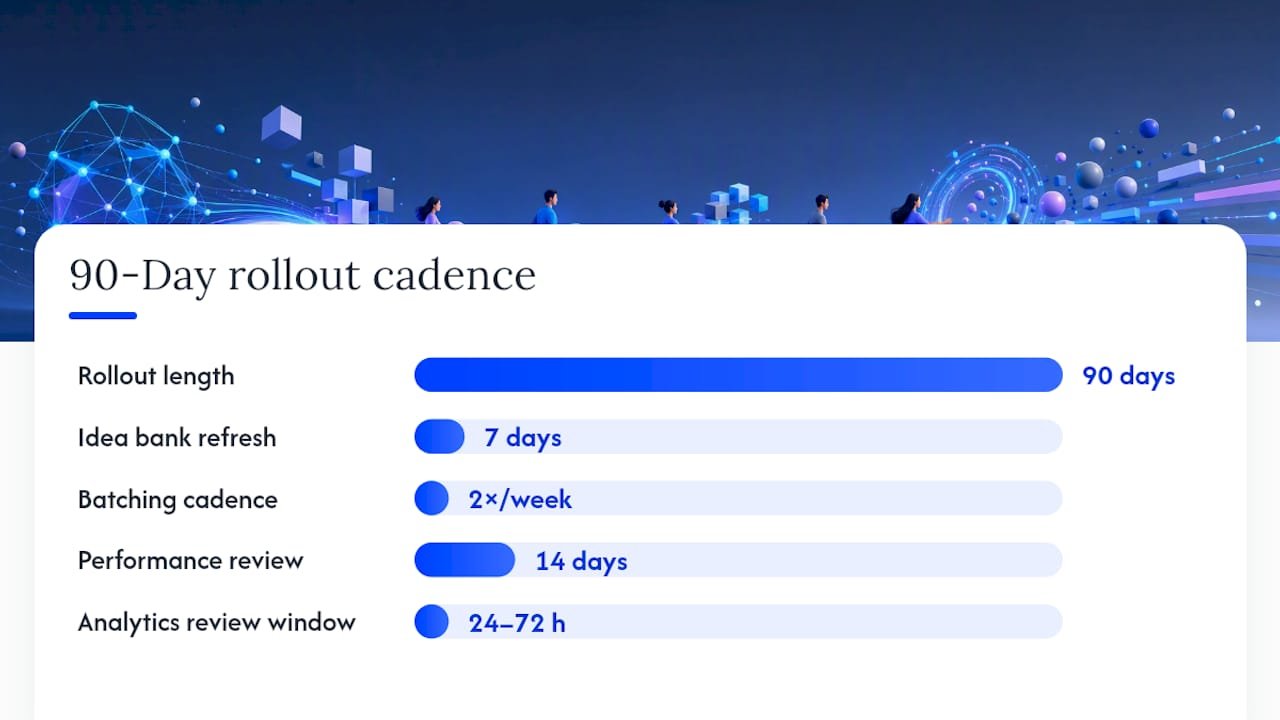
Scaling past a handful of videos a week takes structure, not just better tools. A workable 90-day rollout starts with an idea bank refreshed weekly, followed by a batching session twice a week where you generate and schedule a full stretch of content. Every 14 days, review performance and prune whatever underperformed.
The per-video checklist keeps quality consistent even when you’re moving fast:
- Hook tested in one sentence before scripting starts.
- Script prompt written with the hook and a clear call to action baked in.
- Voice and style selected and previewed.
- Captions placed inside the safe zone.
- Export settings checked and the AI label toggled.
- Post scheduled, with the first 24 to 72 hours of analytics reviewed before deciding to iterate.
Pro Tip: Once a video performs on TikTok, repurpose it across Shorts and Reels immediately. Early engagement signals on one platform often predict how the same hook performs elsewhere.
Where Authenticity Still Beats Automation
AI earns its place when volume matters more than a personal face, faceless niches, translated content, rapid testing of ten hook variations in a week. But filmed content still wins when the audience is buying into you specifically, not just the information. The label isn’t a formality; it’s what keeps that trust intact either way. Test both, watch what your specific audience rewards, and let the data decide your mix, not a rule of thumb someone else wrote.
— Will
Get the Playbooks Behind This Workflow
This resource offers a practical alternative to guessing your way through AI content, designed for affiliate marketers and creators seeking a repeatable system rather than one-off tutorials. Beyond typical guides explaining how AI video tools work, the playbooks and templates provide copyable prompt structures, a 90-day rollout broken into weekly tasks, and case studies illustrating successful strategies for scaling AI content.

If you’ve read this far, you already understand the workflow. What you’re missing is the shortcut version, the templates and prompts that turn a six-step process into something you can run in your sleep. Start with the real affiliate marketing case study data to see exactly how creators applied this at scale, then grab the templates and put your first batch on the calendar this week.
Sources
- Free AI TikTok Video Creator | Daily TikToks Without Filming | Fliki
- About AI-generated content
- Free Online AI Tiktok Video Generator
- Free TikTok Video Idea Generator | Captapi
FAQ
Is AI Content Allowed on TikTok?
Yes, AI-generated content is allowed on TikTok as long as it follows the platform’s labeling rules. Creators must disclose realistic AI-generated media showing people, places, or events, either through TikTok’s automatic tag or by manually toggling the AI-generated label.
What Is AI-Generated Content on TikTok?
AI-generated content, or AIGC, refers to any video, image, or audio created or substantially altered using artificial intelligence tools. This includes AI voiceovers, generated visuals, avatars, and edited likenesses, all of which fall under TikTok’s disclosure requirements.
Do You Get Paid for AI Content on TikTok?
Labeling a video as AI-generated does not disqualify it from monetization or ad eligibility on its own. What can affect payouts is violating TikTok’s broader content policies, such as using AI to create deceptive likenesses of real people.
Why Does TikTok Say a Video Contains AI Content?
TikTok automatically applies an AI-generated tag when it detects certain synthetic media patterns, or a creator manually toggles the label themselves. This tag exists purely for transparency and does not inherently reduce how far a video travels in the feed.