

An expired domain can give an affiliate site a head start, but only when the domain’s past life matches the site you plan to build on it. Google treats buying a lapsed domain just to borrow its rankings as spam, so the winning approach is to find a domain in your niche, check its history carefully, and then put real, useful affiliate content on it. The rest of this guide walks you through that, step by step, and shows where it tends to go wrong. If you want the content side to be solid, our AI-assisted affiliate review template is a good companion.
TL;DR
- An expired domain is a name whose owner stopped renewing it. Some carry real backlinks and history, and that is why affiliates look at them.
- Google’s spam policy targets expired domains bought to manipulate rankings with content that gives users little value. Topic match and genuine content are your protection.
- Find candidates by niche keyword, then vet the history, the links, the traffic and any security flags before you buy.
- Reject any domain whose past topic differs from your site. A pet site that once sold kitchenware is a no.
- The domain is only the starting line. Original reviews, testing and honest disclosures are what keep an affiliate site ranking.
Table of Contents
- What an expired domain actually is
- When an expired domain makes sense, and when to skip it
- How to find expired domains in your niche
- How to vet an expired domain before you buy
- A worked example
- What to do after you buy
- Our view: the domain is the smallest part of the plan
- Put your time where it pays
- FAQ
- Sources
What an expired domain actually is
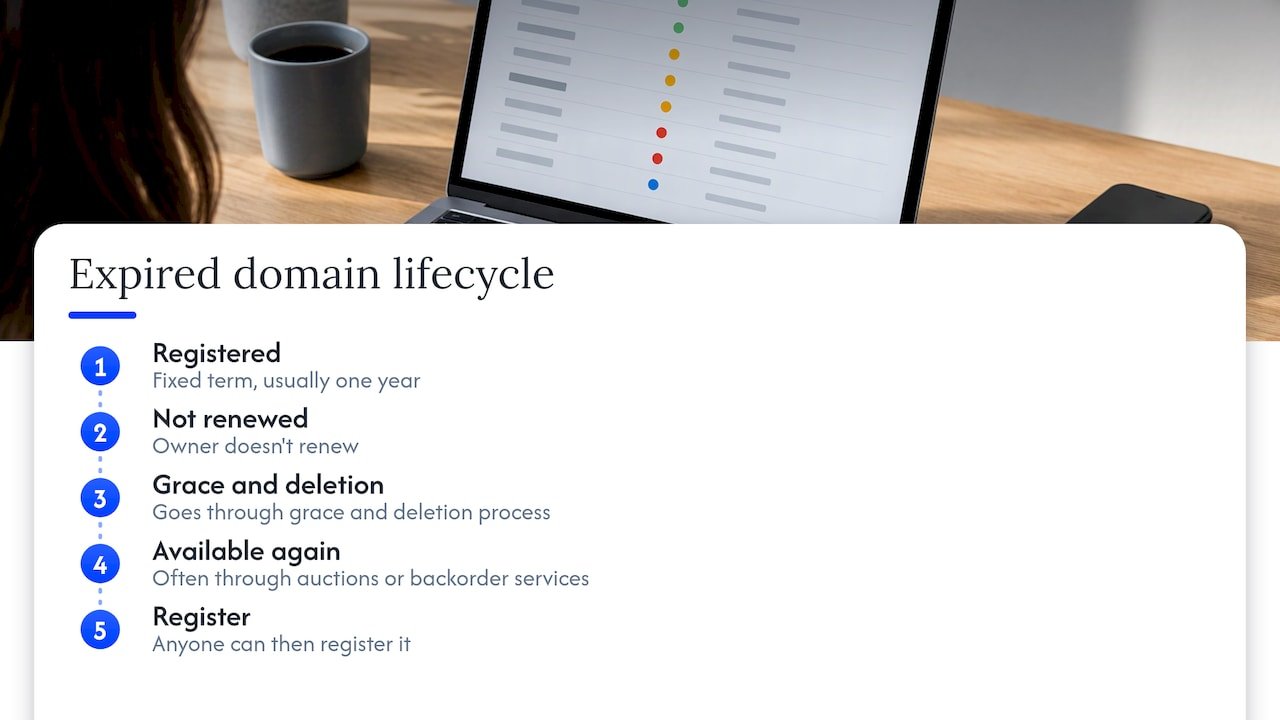
A domain is registered for a fixed term, usually a year at a time. When the owner doesn’t renew, it goes through a grace and deletion process and eventually becomes available again, often through auctions or backorder services. Anyone can then register it.
Why would an affiliate care? Because a domain that was once a real website may still have links pointing to it from other sites, a history in search engines and sometimes a trickle of visitors. Starting from zero means building all of that yourself, which takes months. That is the appeal.
Here’s the part many guides skip. Google is well aware of this tactic. Its spam policies define expired domain abuse as buying an expired domain and repurposing it mainly to manipulate search rankings with content that offers little or no user value. The examples Google gives are blunt: affiliate content on a former government site, commercial medical products on a former nonprofit medical charity, and casino content on a former elementary school site.
Google also says violations can lead to lower rankings or removal from search results, including through a manual action. So the question is never just “does this domain have strong metrics?” It is “does my site honestly continue what this domain was?”
When an expired domain makes sense, and when to skip it
If you are just starting out, you may be wondering whether you need one at all. You don’t. Plenty of affiliate sites rank on brand-new domains because the content earns it. An expired domain is an optional shortcut, and a risky one when chosen carelessly.
It makes the most sense when three things line up:
- The domain’s previous site covered the same or a very close topic as yours.
- Its history is continuous and clean, with no sudden changes of subject.
- You are going to publish genuinely helpful affiliate content on it, not a thin copy of merchant descriptions.
Skip it when the only attraction is a big authority score. Link Building Journal makes the point that a domain which has been the same site on the same topic for its whole life passes a history check in minutes, while a “resurrection” domain’s old links are often irrelevant to the new site. In other words, part of the apparent authority may be equity that current enforcement discounts.
The same publication warns against another habit: pointing an entire expired domain at your site with a 301 redirect to pipe its authority across. That now falls squarely inside the expired-domain abuse policy, and it is defensible only with real topical alignment. If you are new to this, don’t do it.
How to find expired domains in your niche
Finding candidates is the easy part. Vetting them is where the work is. Here is a routine that keeps you moving.
1. Start with a niche, not a tool
Pick the subject first. Say you want to review standing desks and ergonomic accessories. Write a list of ten to twenty words that people in that space use: “ergonomic,” “desk,” “posture,” “workspace.” Names containing these words are much more likely to have a past life in the right topic.
The common mistake is to browse lists sorted by authority and pick the shiniest one. You end up with a gambling site’s old domain and a standing desk blog that nobody will trust.
2. Search deleted and expiring listings
There are two types of places to look: aggregators that list domains as they drop, and auction or backorder marketplaces where domains are sold before or just after they expire. Most let you filter by keyword in the name, by length and by extension. A practical set of filters:
- Keyword contained in the domain name, from your niche list.
- A .com when you can, since it is the extension most readers trust and remember.
- No numbers and no hyphens, which tend to look spammy and are harder to say aloud.
- Shorter names first, then sort by the number of backlinks.
You will get long lists. Don’t get attached to any of them yet. The goal is a shortlist of five or ten names to investigate.
3. Look for sites that were actually earning
Another angle is to work from your niche backwards: find sites that already use affiliate links in your space and see which similar ones have disappeared. A site that once ran affiliate links for a product category you want to promote tells you the topic can monetize. It doesn’t tell you the domain is clean, which is the next job.
How to vet an expired domain before you buy
This is the stage that separates a smart purchase from an expensive mistake. Treat it as a checklist you run on every candidate, and be ready to walk away.
Check the history, year by year
Open the Internet Archive’s Wayback Machine and step through snapshots across the domain’s life. The Website Flip’s due diligence framework recommends going through many snapshots manually and rejecting a candidate whose subject changed in a big way, for example a pet site that previously hosted kitchenware, foreign-language, adult or casino content.
What you want is consistency. Gaps of several years can mean the domain passed between owners, and a Medium guide on checking expired domain history notes that this can dilute or penalize authority. Link Building Journal calls the pattern of a domain having been a different site in a prior life the “resurrection pattern,” and its fix is the same: stepping through yearly snapshots.
Read the backlinks one by one
A big backlink total is not the prize. Zenind’s due diligence guide says a smaller set of relevant, quality referring domains can be more valuable than a large total, and recommends looking at link relevance, placement and anchor text distribution.
In practice, open the list of referring domains in a backlink tool and look at them individually, as the Website Flip suggests, then check:
- Anchor text: a pile of exact-match money keywords looks manufactured.
- Link type and placement: editorial links inside real articles beat footer or sidebar links.
- Signs of private blog networks, adult, casino or spammed international links.
BuySitesDirect lists sudden link spikes, heavily exact-match anchors, link farms, unrelated international links and traffic concentrated in a single keyword or social post among its red flags. If you see two or three of those, move to the next name.
Check traffic and index history
If the domain still gets visitors, look at how that traffic behaved over at least a year. Steady or growing with sensible seasonality is good. Sharp spikes and cliffs deserve questions. When you are buying a live site from a seller rather than a dropped domain, ask for read-only access to the analytics and Search Console accounts rather than screenshots, which is what BuySitesDirect recommends, with at least 12 months of trends.
Also search for the domain in Google using the site: operator. If nothing is indexed, that isn’t automatically fatal, but a domain Google has already dropped entirely may carry an unresolved problem.
Look for security and penalty flags
Netpeak’s website-buying checklist suggests checking for security warnings in Search Console, testing for malware or blacklisting and watching for “This site may be hacked” notices in search results. On a dropped domain you won’t have Search Console access to the old property, so lean on the search results check and blacklist lookups.
If something does turn up after you buy, this step-by-step walk-through on how to recover from Google penalties shows what the clean-up process looks like. Better still, spotting the issue before you pay.
Check for trademark trouble
A name that contains someone else’s brand can bring a complaint, a forced transfer or a takedown, no matter how clean the links are. Search the name in the trademark database of your country (in the US, the USPTO’s search) and in a plain web search before you commit. This is a legal question, so if the name is close to a known brand and you are unsure, speak to an attorney before buying.
A worked example
Imagine you are building a site on home coffee gear. You find three candidates containing the word “espresso.”
The first has 900 backlinks, but the Wayback Machine shows it was a payday-loan site in 2019. Reject it. The second has 40 backlinks from small food and kitchen blogs and a consistent history as a hobby espresso blog that went quiet in 2022. Keep it. The third has a nice name but three years of blank snapshots followed by foreign-language pages. Reject it.
So your “best” domain is the one with the least impressive-looking metrics and the most honest past. That is the kind of result that tends to last.
What to do after you buy
The domain is the cheap part. What decides whether the site earns is what you put on it. Google separates real affiliate publishing from thin affiliation: useful affiliate pages add original information, product testing or reviews, price information, ratings, navigation or comparisons, rather than copying the merchant’s descriptions.
That means:
- Rebuild around your niche, matching what the old site covered as closely as you can.
- Publish real reviews based on evidence you can show, such as photos, tests and measurements. Our piece on why the evidence pack comes first lays out how to do this when you use AI to speed up drafting.
- Disclose your affiliate relationships clearly. These affiliate disclosure examples are easy to copy and adapt.
- Show your experience and your proof, which our guide to EEAT for affiliate sites walks through with FTC-minded steps.
Don’t redirect the old domain’s URLs to unrelated pages, and don’t spin up dozens of thin posts in week one. Go slowly and watch Search Console for the first few months.
Perspective
Our view: the domain is the smallest part of the plan
We’ve coached a lot of affiliates, and the question underneath “which expired domain should I buy?” is nearly always “how do I get traction faster?” That is a fair question. It deserves a better answer than a shortcut that Google has already written a policy against.
Our view is that an expired domain is a good tool when it matches your niche and a poor one when it doesn’t. If it matches, you save some early months. If it doesn’t, you’ve bought a problem with a nice price tag.
What actually moves an affiliate business is a repeatable way of producing helpful content: honest reviews, clear disclosures, evidence you can show. That is where we think AI earns its place, taking the repetitive work off your plate so you have more time for testing products and talking to your audience. Whether your site sits on a fresh domain or an aged one, that routine is what keeps it standing.
So vet the domain, be willing to walk away from it, and spend your real energy on the site. You can do this.
Will
Put your time where it pays
Once you have your domain, the next challenge is publishing consistently without burning out. Our AI affiliate workflows are ready-to-run recipes built for affiliate marketers who want to use AI to save time on research, drafting and reviews, while keeping the human parts, the testing and the honesty, in your hands.

If you’d like more of this in your inbox, the newsletter and videos on willbuckley.com cover the practical side of using AI in affiliate marketing, step by step.
FAQ
Are expired domains good for affiliate marketing?
They can be, when the domain’s past topic matches your niche and its history is clean. They go wrong when they are bought only for their authority score and loaded with thin content. Google’s spam policy specifically names that behavior as expired domain abuse.
How do I find expired domains?
Start with a list of niche keywords, then search deleted and expiring domain listings and auction marketplaces for names containing them. Filter out numbers and hyphens, sort by backlinks, and shortlist a handful. Then vet each one in the Wayback Machine and a backlink tool before you bid.
Can I 301 redirect an expired domain to my site?
It is risky. Redirecting a whole expired domain into another site to pass on its authority falls inside Google’s expired-domain abuse policy unless the topics genuinely align. If you are new to affiliate marketing, it is safer to rebuild the expired site’s topic on the domain itself.
What are the biggest red flags on an expired domain?
A changed subject in the Wayback Machine, sudden link spikes, heavy exact-match anchor text, links from adult or casino sites and traffic that depends on one keyword. Security warnings and trademark conflicts are also reasons to walk away.
Sources
- Spam Policies for Google Web Search, Google Search Central
- Acquisition-Era Link Audits, Link Building Journal
- Website Due Diligence: 7-Step Framework, The Website Flip
- How to Check the History of Expired Domains, Medium
- How to Buy an Expired Domain for SEO: Due Diligence Guide, Zenind
- Website Due Diligence Guide, BuySitesDirect
- Checklist Before Buying a Website, Netpeak Software Blog
- Recover from Google Penalties: Step-by-Step Guide