

AI UGC videos are short, casual, phone-style product videos made with AI instead of a real customer or creator. An AI avatar or voice talks straight to the camera, and you supply the script and the product visuals. Used well, they let you test many ad angles quickly. Used carelessly, they can look fake and even cause legal trouble. This guide shows you how to make them, how to test them, and where the lines are.
TL;DR
- AI UGC means ads built to look like organic, creator-style videos, using an AI presenter, an AI voiceover, or AI-generated scenes.
- The usual workflow is simple: product page or description, script, avatar and voice, render, then edit captions and B-roll.
- Treat AI UGC as a testing tool for hooks and angles. Keep real customers for testimonials and anything that depends on lived experience.
- Change one thing per test, and judge winners by cost per acquisition, not by click-through rate alone.
- Never invent a customer experience. The FTC bans fake reviews and testimonials, including AI-generated ones, and expects clear disclosure.
Table of Contents
- What AI UGC videos actually are
- Where AI UGC fits, and where a real person still wins
- How to create an AI UGC video, step by step
- Making the video feel credible
- What to test, and how to read the results
- Rules, consent and disclosure
- Our perspective
- Want a workflow you can run this week?
- FAQ
- Sources
What AI UGC videos actually are
UGC stands for user-generated content: the unpolished clip where someone holds a product, talks to their phone, and tells you what they think. It works because it feels like a recommendation from a person, not a commercial.
AI UGC borrows that look. It can be a fully synthetic presenter, a real clip of your product with an AI voiceover, or AI-generated scenes around a product photo. The goal is the same: a casual, direct-to-camera feel at a fraction of the effort.
You may also hear the term AI spokesperson video. The two overlap, but the intent differs. A spokesperson video is usually a tidy, polished explainer: a presenter in a clean setting walking through features. An AI UGC video deliberately looks rougher and more personal, closer to something filmed at a kitchen table. If you are an affiliate marketer, the UGC style is usually what stops the scroll on TikTok, Reels and Shorts, while the spokesperson style fits landing pages and explainers.
If you want the wider picture of how marketers are using AI in paid social, this overview of AI in social media advertising is a good companion read.
Where AI UGC fits, and where a real person still wins
Have you ever watched a video and thought, “that can’t be a real person”? You probably scrolled away. That reaction is the main risk, and it tells you where AI UGC belongs.
AI UGC is at its best when the job is volume and variation. You want ten hooks, three openings, two tones, and you want them this week. A human creator for each would cost real money and take weeks. An AI presenter can turn a script into a video in minutes, so you can find out which message resonates before you invest more.
It is weaker when the video leans on personal proof. A line like “I used this for six months and my skin cleared up” or “this tool saved me ten hours a week” is a claim about an experience. If nobody had that experience, the video is not a testimonial. It is a made-up one, and that creates both a trust problem and a legal one (more on that below).
A practical split we like:
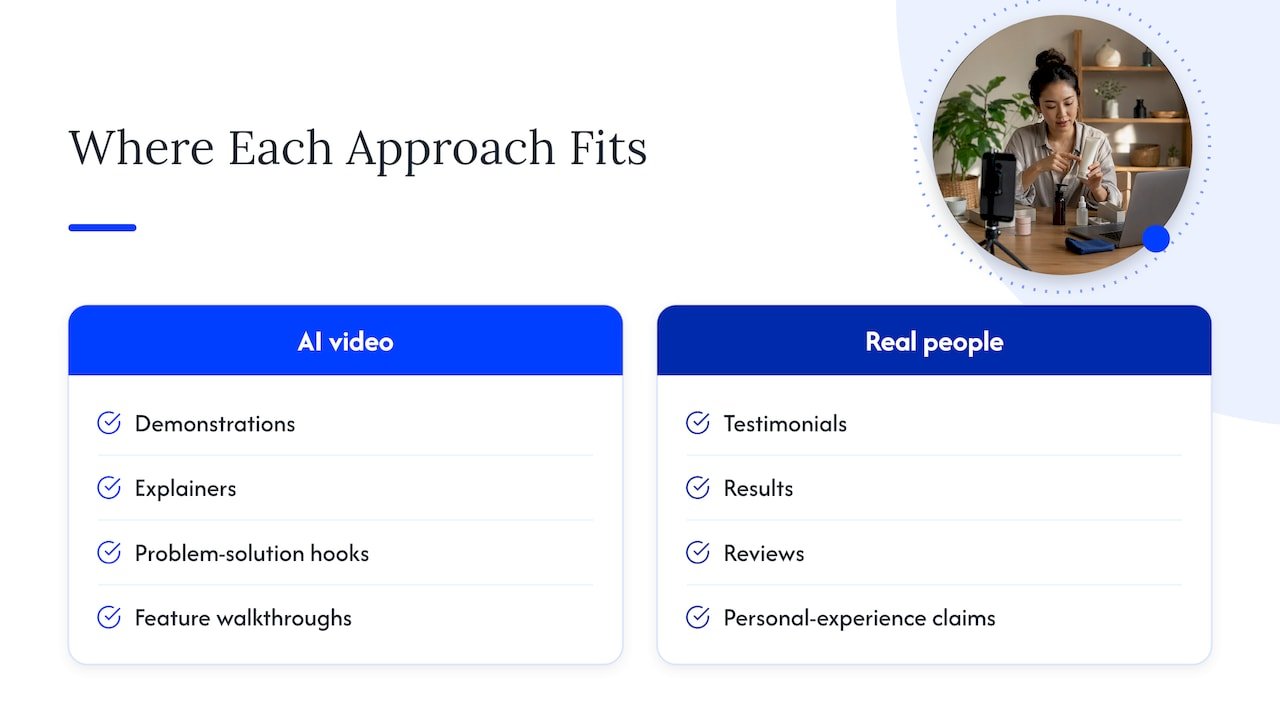
Use AI for demonstrations, explainers, problem-and-solution hooks, feature walkthroughs, and quick tests of angles. Use real people for testimonials, results, reviews, and anything where the viewer is asking “does this actually work for someone like me?”
How to create an AI UGC video, step by step
Most tools follow the same path, whichever one you choose. You do not need an expensive setup, but you do need to be deliberate at each step.
1. Start with the product and one clear angle
Before opening any tool, decide who the video is for and what single problem it solves. A video that tries to cover five benefits ends up covering none. Pick one pain point, one outcome, and one reason to click.
If you promote affiliate offers, gather what is true and checkable: what the product does, who it is for, the real features, and any claims the program itself permits. Our AI affiliate workflows page walks through how to organize this kind of input so the AI has good material to work from.
2. Write a short script
Many tools can scrape a product URL and draft a script for you. That is a handy first draft, never the final one. Read it aloud. If it sounds like an advertisement, rewrite it until it sounds like a person talking.
A workable structure is a hook in the first couple of seconds, a pain point, then the outcome and a nudge to act. For short vertical ads, aim for something in the range of 20 to 35 seconds, roughly 60 to 90 spoken words. That is our rule of thumb, not a law. Shorter scripts leave less room for the avatar to look odd and give viewers less reason to leave.
Write in the first person only when it is honest. “Here’s what this tool does” is fine. “I’ve been using this for a year” is not, unless a real person did exactly that.
If scripting is where you get stuck, the process in our piece on Teleprompter-ready AI scripts carries over well to short video.
3. Choose the avatar and voice
Pick a presenter who fits the audience you are speaking to. A fitness offer, a finance tool and a skincare product each call for a different look, setting and energy. Match the voice to the message too: calm and clear for a software explainer, brighter and quicker for a lifestyle product.
Then check the details that give AI away. Watch the lips against the words. Look at whether the person blinks and shifts naturally, or stares like a statue. Check hands and any object the avatar holds, since those are the places where generated video most often slips. If something looks off, regenerate or change the setting rather than hoping nobody notices.
4. Add the product visuals
The avatar earns attention, but the product earns the sale. Wherever you can, cut to real screenshots, real screen recordings, or real product footage. For software and digital offers this is easy and it keeps the video honest: viewers see the actual thing.
If you are comparing video tools to do this, our roundup of the best AI video generators and the guide to the best AI video editors sort them by use case.
5. Render, caption, and edit for the platform
Export in vertical 9:16 for TikTok, Reels and Shorts. Add captions, since many people watch without sound, and bring in B-roll, a simple music bed, and quick cuts so the video moves. A raw avatar clip with no editing is the fastest way to look like everyone else’s ad.
For a repeatable version of this, see our short-form video AI workflow, and for platform specifics, scaling AI TikTok content.
Making the video feel credible
Credibility comes from small decisions, and most of them are about restraint.
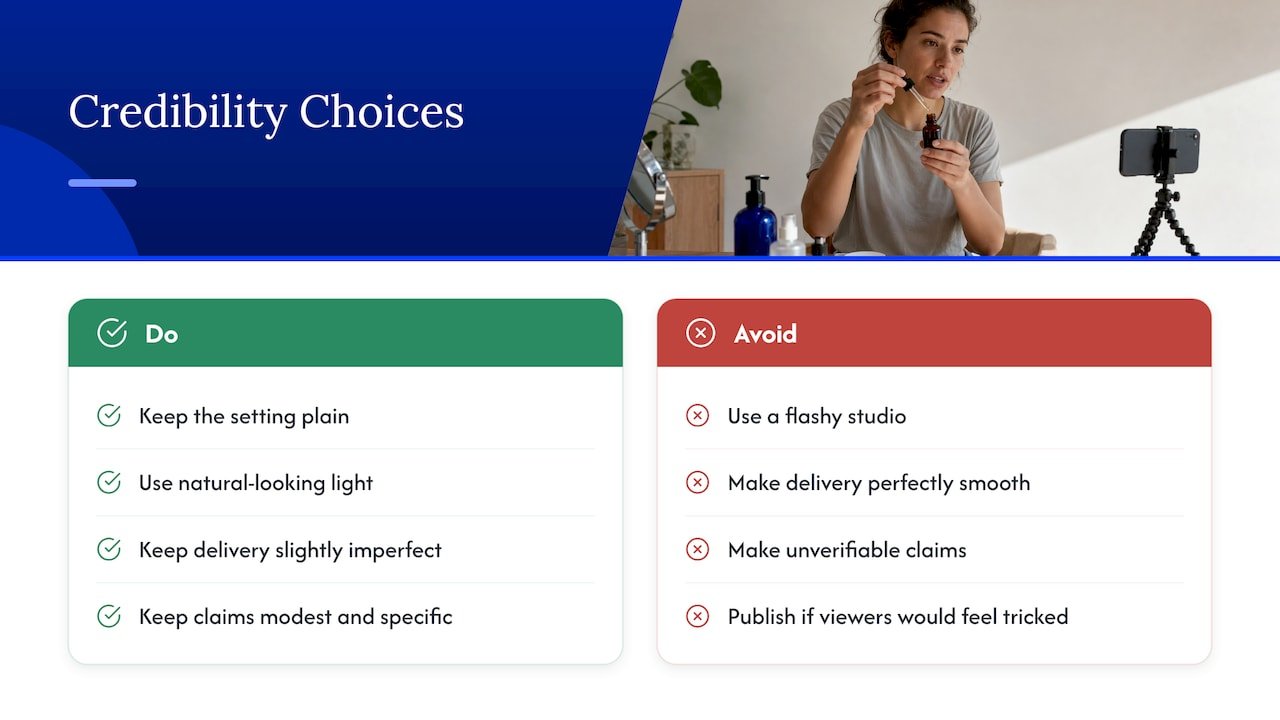
Keep the setting plain. A tidy room, natural-looking light and a simple background beat a flashy studio, because the whole point is the casual feel. Keep the delivery slightly imperfect: a pause, a conversational phrase, a less-than-perfect sentence. Perfectly smooth reads feel scripted.
Keep the claims modest and specific. “This tool turns a product link into a draft script” is verifiable. “This changed my life” is not. And keep the visuals real wherever the product allows it.
Finally, ask yourself one honest question before publishing: would a viewer feel tricked if they found out how this was made? If yes, change the video, add a disclosure, or use a real creator instead. That test will keep you out of most trouble.
We go deeper on this balance in AI ad creative: what works, what backfires.
What to test, and how to read the results
The real advantage of AI UGC is that variations are cheap, so testing is where you win. But testing only helps if you do it cleanly.
Change one thing at a time
If you swap the hook, the avatar and the music all at once, you will not know what made the difference. Pick one variable per test: the opening line, the presenter, the setting, the length, or the call to action. Keep everything else the same.
Good things to test first, in order of usual impact: the hook (the first sentence), the pain point you lead with, the presenter, and then the call to action.
Judge on cost per acquisition
Click-through rate is the number everyone checks first, but it can mislead. Track the full chain: how many people watch the first few seconds, how many finish, how many click, and what each conversion costs once you include the cost of making the video.
That last part matters. Real creator content may earn more clicks, yet AI content can still come out ahead on cost per acquisition because it is so much cheaper to produce. Case studies on this exist, but most come from tool and agency blogs, so run your own numbers on your own offer before drawing conclusions.
Give tests enough budget and time to say something, drop clear losers early, and put more money behind the few that hold up. For a simple way to run this without a big setup, our guide to piloting AI split testing fits into a few hours. Researchers at MIT and the University of Missouri make a related point in their study of generative AI in video ads: treat the technology as a production tool for personalization, with careful quality control, rather than as a replacement for creative thinking.
To connect video results to the rest of your numbers, read what AI marketing analytics means for your campaigns.
Rules, consent and disclosure
This is the part many people skip, and it is the part that can hurt you. The details below apply to the United States. Other countries have their own rules, so check your local ones if you advertise elsewhere.
Fake testimonials are a legal problem
The Federal Trade Commission finalized a rule banning fake reviews and testimonials, and it covers ones generated with AI. The agency said the rule lets it seek civil penalties against those who knowingly break it, which case-by-case enforcement alone could not do. You can read the announcement on the FTC’s final rule banning fake reviews and testimonials.
In plain terms: an AI avatar that says “I tried this and it worked for me” is presenting an experience that never happened. Write scripts that describe the product, not a fabricated customer story. If you need a genuine testimonial, get it from a genuine customer. For a specific ad you are unsure about, talk to an advertising attorney.
Disclose clearly
The FTC’s endorsement guidance reaches virtual influencers, and a legal analysis of the 2024 guides explains that disclosures must be unavoidable and prominent, placed in or right next to the endorsement rather than buried behind a link. See this FTC compliance guide for virtual influencers for how the law firm reads it.
As an affiliate, you have two things to disclose: that the presenter is not a real person where that matters to the viewer, and that you earn a commission. Put both in the video or caption where people will see them, not in a footer. Our affiliate disclosure examples give you wording you can adapt.
Faces, voices and consent
Never clone a real person’s face or voice without their permission. Use avatars from a tool that says they are synthetic or consented, or create a new face. If you upload a portrait of a real person, get written consent for exactly how you will use it.
For a wider framework on responsible use, see our guide to mapping ethical AI marketing to NIST, IAB and UNESCO guidance.
Our perspective
We think AI UGC is one of the most useful tools affiliate marketers have right now, and one of the easiest to misuse.
The temptation is to chase volume: dozens of videos, dozens of fake-looking people, a flood of ads. We have seen that fall flat. What works is slower and kinder to your audience. Start with an offer you actually believe in, write a script that is honest about what it does, and use AI to make that message cheaper to test.
Think of the avatar as a camera, not a witness. It can show your product, explain it clearly and help you find the angle that resonates. It cannot vouch for it. That job belongs to real customers, and your own honest experience.
If you are just starting out, do not try to build a whole system at once. Make one video. Test one change. Look at one number. Then do it again. That steady habit beats any tool.
Will
Want a workflow you can run this week?
If you would rather not piece this together from scratch, we have put our practical, tested-in-the-real-world approach into step-by-step recipes. They show you how to go from an affiliate offer to a finished, trackable piece of content without burning hours.

Start with our ready-to-run AI affiliate workflows, and join the newsletter from willbuckley.com for new tips and video tutorials.
FAQ
Are AI UGC videos legal to use in ads?
Yes, in general, but the content matters. In the US, the FTC bans fake reviews and testimonials, including AI-generated ones, so an avatar cannot claim a personal experience that never happened. Disclose clearly, keep claims truthful, and ask an advertising attorney about any gray areas.
Can I create UGC with AI if I have no video experience?
Yes. Most tools take a product link or a short description, draft a script, and render a video with an avatar and voice. Your job is to edit the script so it sounds human, check the visuals, and add captions. Start with one short video and improve from there.
What is the difference between AI UGC and an AI spokesperson video?
An AI spokesperson video is usually polished and professional, like a presenter explaining a product. AI UGC imitates the casual look of a creator filming at home. Spokesperson videos suit landing pages and explainers, while UGC style suits social feeds.
Should I replace real creators with AI UGC?
We would not. Use AI to test hooks, angles and demonstrations quickly, and bring in real people for testimonials and anything that depends on lived experience. The two work best together, with AI finding the message and real customers backing it up.
Sources
- Federal Trade Commission announces final rule banning fake reviews and testimonials
- Using a virtual influencer? FTC compliance guide, Revision Legal
- Video ads that engage consumers? MIT Initiative on the Digital Economy
- AI in Social Media Advertising: 2026 Guide, Omnivance Media