

If you make video to promote affiliate offers, HeyGen is usually the better fit. Reviewers rate its avatars as more lifelike, and it is built for social clips, ads and translation. Synthesia fits better when your video is structured and instructional, like training, tutorials or business communication. Neither tool is “best” in the abstract. The right one depends on the kind of video you make every week.
That is good news, because it means you can decide in about ten minutes. Below, we walk through avatars, languages, editing, pricing and the ad rules worth knowing about, then show you how to pick for your own workflow.
TL;DR
- HeyGen leads on avatar realism and lip sync, and suits solo creators and marketers making social and ad content.
- Synthesia has a structured, beginner-friendly editor and enterprise features, and suits training and corporate communication.
- As listed on their pricing pages, Synthesia’s paid plans start at $19/month and HeyGen’s at $29/month, but credits and limits differ, so compare what each plan actually gives you.
- Check each provider’s rules on stock avatars in paid ads before you build a campaign around one.
- Start with one real video you need to ship this week and test it on both free plans.
Table of Contents
- The short version: what each tool is built for
- Avatar realism and lip sync
- Languages, voice cloning and translation
- Editing, workflow and ease of use
- What you will pay: plans and credits
- Which one fits an affiliate marketer?
- Rules to check before you use avatars in ads
- Our perspective
- Where to go from here
- FAQ
- Sources
The short version: what each tool is built for
Both tools turn a script into a video of a digital presenter. They just come at the job from different directions.
One hands-on comparison describes Synthesia as positioned for learning and development, compliance and structured business communication, with consistent, professional output. The same review finds HeyGen ahead on avatar realism and lip sync, and a better match for marketing. Another review of the two tools lands in the same place: Synthesia for corporate training, eLearning and business communications, HeyGen for social and creator content, video translation and AI influencer content.
If you have ever felt stuck choosing a tool because every comparison seems to crown a different winner, this is why. They are measuring against different jobs. As one reviewer at AI Stack Picks argues, the choice is rarely about which tool is technically better. It is about whether you resemble a large training team or a creative marketer.
As an affiliate marketer, you are probably the second type. But let’s not assume. Let’s look at what matters in your day-to-day work.
Avatar realism and lip sync
This is the first thing most people notice, and it is where the two tools feel most different.
HeyGen is generally rated ahead on realism and lip sync. Reviewers describe its avatars as more natural and expressive, which matters when your video has to hold attention in a feed for the first three seconds. Synthesia has improved, and its hand movements look more natural than they used to, but its avatars still tend to sit square to the camera in a polished, corporate way. That is a strength for a compliance walkthrough. It can feel stiff for a punchy product recommendation.
Here is a simple way to think about it. Picture two videos you might make. One is a 60-second “here is why I switched to this email tool” clip for your audience. The other is a five-minute “how to set up your account” tutorial for new subscribers. The first benefits from warmth and movement. The second benefits from calm, consistent delivery. Match the avatar style to the viewer’s mood, not just to the feature list.
Synthesia’s own site says its platform offers an AI Video Assistant that turns documents, PowerPoints or links into finished videos, along with brand kits. You can see the full feature set on the Synthesia homepage. HeyGen’s homepage lists text to video, image to video, audio to video, AI avatars and PPT/PDF to video. So both can start from a script or a document. The difference is the feel of the result.
Languages, voice cloning and translation
If your affiliate offers sell in more than one market, language support can decide this for you.
According to Synthesia’s homepage, it supports video creation in 140+ languages, with 1-Click Translation and AI dubbing in the original speaker’s voice. HeyGen’s pricing page lists 175+ languages on its Creator plan, and the Ventureharbour review notes that HeyGen’s video translation covers 70+ languages and re-syncs the avatar’s mouth movements to the new audio. HeyGen’s FAQ also lists voice cloning on the Creator plan.
So what does that mean in practice? Say you promote a software tool with a strong English-language video and want to test it with Spanish-speaking or German-speaking audiences. With translation that re-syncs the lips, the video looks like it was made for that audience, rather than dubbed over. That is one of the cheapest ways to test a new market, and it is a reason many marketers lean toward HeyGen.
If your languages are mostly for internal training or help-center videos, Synthesia’s larger structured workflow and dubbing features can be just as useful. Count the languages you will really use, not the ones on the sales page. Most people need two or three.
Editing, workflow and ease of use
The editor is where you will spend your time, so it is worth caring about.
Reviewers describe Synthesia’s editor as beginner-friendly and structured. You work scene by scene, with slides, text and avatar, a bit like building a presentation. That is comforting if you have never edited a video, and it suits repeatable formats where every video follows the same template. Synthesia also lists live collaboration, interactive video with quizzes and branching paths, analytics and SCORM export for learning management systems on its homepage.
HeyGen feels looser and more creator-oriented. It is quick to go from idea to clip, which is exactly what you want when you are producing several short videos a week. Its higher plans add features such as 4K export, which the ClipVerdict review calls a major draw for creators and agencies producing high-quality marketing assets.
A practical tip: whichever you choose, do not do your final polish inside the avatar tool. Generate the presenter footage, then finish in a video editor with captions, music and cuts. If you want help choosing that second tool, our guide to the best AI video editors by use case walks through it, and our roundup of AI video generators for creators and teams shows where avatar tools fit in the wider picture.
If your videos need cutaway shots to keep people watching, our post on AI b-roll generators covers how to pick one and use it well.
What you will pay: plans and credits
Pricing changes often, so treat the figures below as what each company’s official page listed when we wrote this, and check the live page before you buy. Third-party review sites sometimes list different numbers, so the official pages are the ones to trust.
| Synthesia | HeyGen | |
|---|---|---|
| Free | Basic, $0/month: 500 credits, 10 minutes of video or dubbing, watermark | Free, $0/month: 3 watermarked videos up to 1 minute |
| Entry paid | Starter, $19/month (first month $9): 1,250 credits, 125+ AI avatars, logo removal, 3 guests | Creator, $29/month: 600 credits, 1080p, watermark removal, 175+ languages |
| Mid paid | Pro, $89/month (first month $49): 180+ AI avatars, 5 Personal Avatars | Pro, $49/month: 4K and more premium generation options |
| Team | Enterprise, custom pricing | Business, $149/month: 1,500 credits, 60-minute videos, SAML/SSO, SCORM, LMS integrations, plus $20/seat/month |
| Top | Enterprise, custom pricing | Enterprise, contact sales |
These come from the Synthesia pricing page and the HeyGen pricing page. HeyGen’s FAQ adds that Creator costs $24/month on annual billing and allows videos up to 30 minutes, and that Pro includes 1,000 credits a month. It also says HeyGen’s API starts at $5 on a pay-as-you-go basis with no monthly commitment, which is handy if you ever want to automate video creation.
A few things to weigh beyond the sticker price:
First, credits. Both tools meter usage in credits, and what a credit buys depends on the plan and the feature. A longer video, a dubbing job or a premium generation all draw from the same pool. Before you commit, work out roughly how many minutes of finished video you make in a month and see which plan covers it.
Second, the free plan. Each one lets you try the tool, with a watermark. That is enough to test one real script from start to finish.
Third, the features you do not need. If you are a solo marketer, you may never need SSO, SCORM or seat management. Do not pay for a tier because of a feature list. Pay for the tier that fits the number of videos you will actually make.
Which one fits an affiliate marketer?
Here is how we would think about it, based on the kind of content you make.
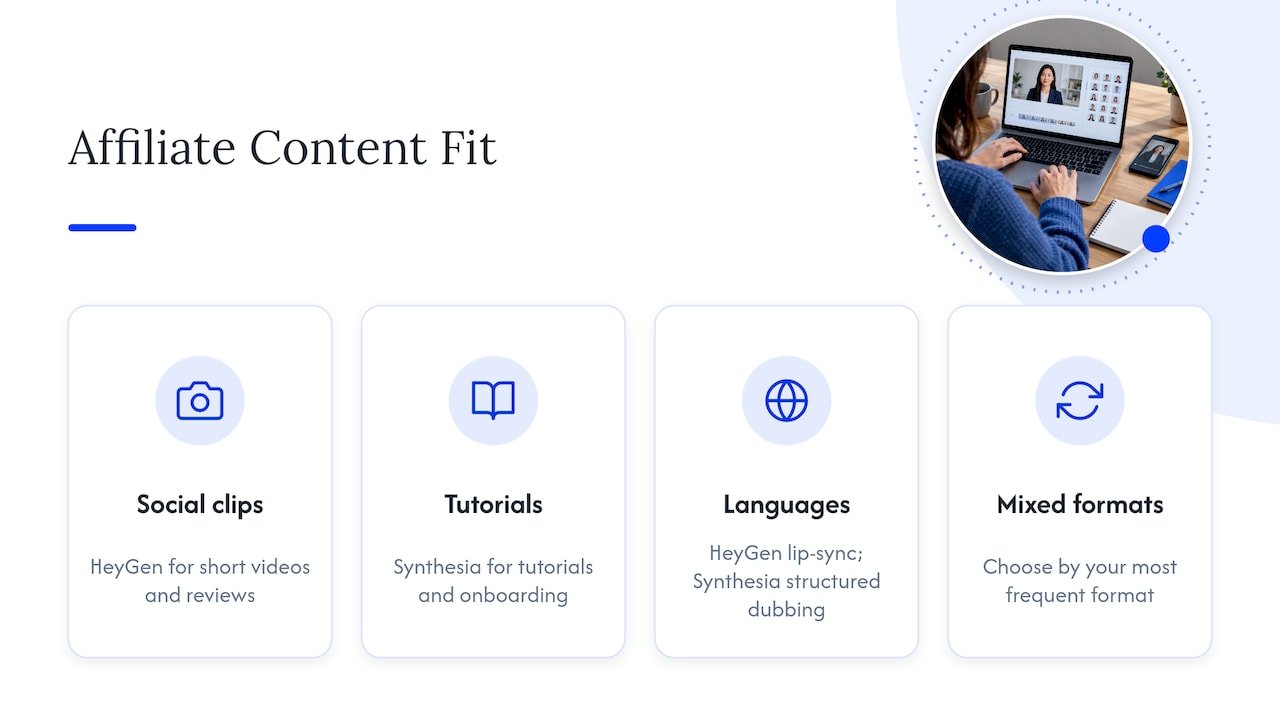
Short social videos and reviews. HeyGen is the more natural pick. The avatars feel closer to a real person talking, translation keeps the lips in sync, and the tool is designed for quick, self-serve clips. If you are building a channel of product explainers or short-form promos, it matches the pace. Our five-step short-form video AI workflow shows how avatar clips slot into a weekly production routine, and our guide to scaling AI TikTok content covers the platform rules to keep in mind.
Tutorials and onboarding for your subscribers. Synthesia is a strong candidate. If you sell your own course, run a members area or create onboarding sequences for an email list, the structured editor and consistent delivery help you produce repeatable lessons quickly. Pair it with solid scripts. Our post on AI scripts for YouTube videos can help with the writing side.
Videos in several languages. Lean to HeyGen if lip-synced translation is the goal, and to Synthesia if you want dubbing and translation inside a structured, template-based workflow. Test one video in your top two languages before deciding.
A mix of everything. Pick based on your most frequent format, then use a general video editor for the rest. Trying to find one tool that does every job is where most people lose a week.
If you are choosing between tools in other categories too, knowing which AI model suits which task can help you match each platform to social content, brand marketing or structured business communication, instead of forcing one tool to do everything.
Rules to check before you use avatars in ads
This is the part many comparisons skip, and it is the part that can cost you an ad account.
Avatar tools come with usage policies. One review of Synthesia’s plans notes that its Acceptable Use Policy restricts the use of stock avatars in paid social ads without written consent. Read the current policy of whichever tool you choose, and if you plan to run paid ads, ask the provider in writing before you launch. Custom or personal avatars built from your own likeness are a different category from stock ones, so check what each plan includes.
On the platform side, ad networks and social channels have their own requirements for AI-generated content. And if you promote affiliate products, your disclosure has to be visible in the video and its description, not just tucked into a footer. Our affiliate disclosure examples give you wording you can copy, and our guide to ethical AI marketing maps the main frameworks you should know about.
And remember that a good avatar does not replace a good offer. A useful reminder on this is why posting is not marketing: a steady stream of videos only works when it sits inside a plan with a clear goal.
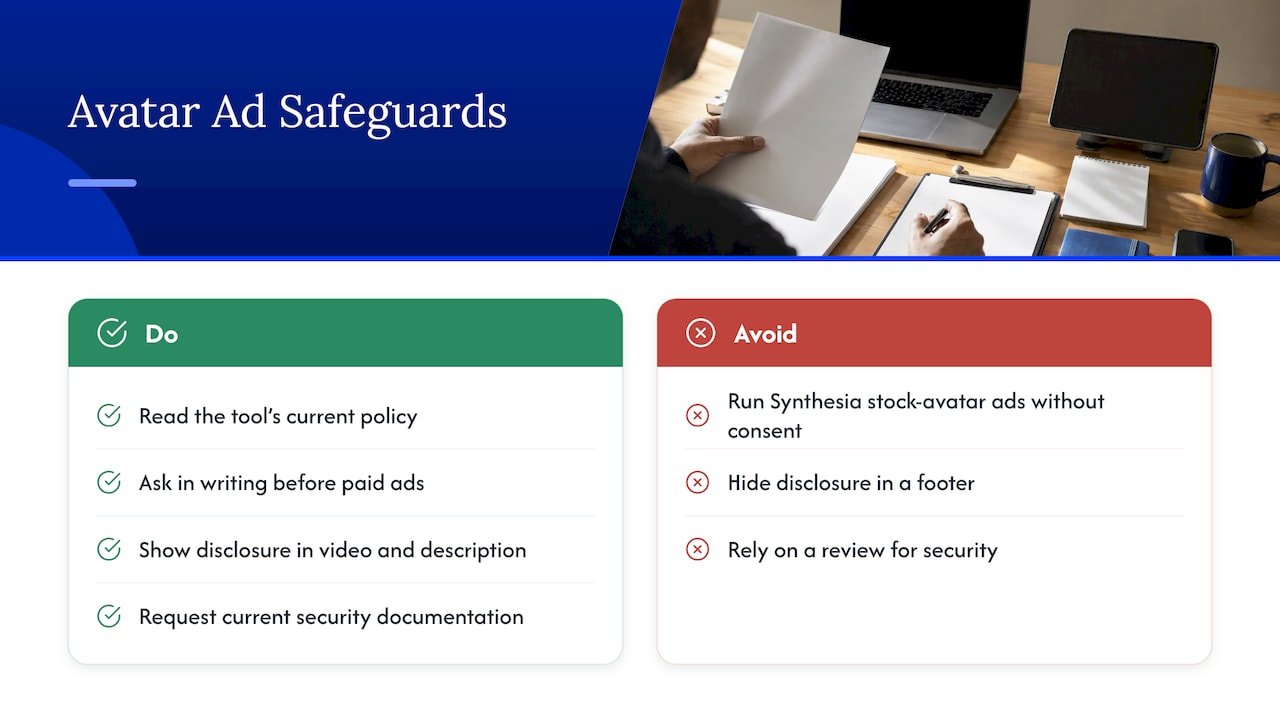
For teams with compliance needs, there is a second layer. Synthesia’s feature set is aimed at that buyer, and HeyGen’s Business plan lists SAML/SSO, SCORM export and LMS integrations too. If you work with a company that has security requirements, ask for the vendor’s current security documentation rather than relying on a review.
Our perspective
We think most affiliate marketers get stuck on this choice for the wrong reason. They are looking for the “best” tool, when what they need is the tool that makes it easiest to publish the next video.
In our experience helping marketers bring AI into their workflows, the winners are rarely the people with the fanciest software. They are the people with a simple, repeatable routine: write the script, generate the presenter, add captions, publish, track, repeat. The avatar tool is one step in that chain, and it should save you time rather than become a project of its own.
So we would start small. Pick the tool that matches your most common video, make one real video on the free plan, and see how it feels to use. If the result gets you excited to make another, you have your answer. If it feels like a chore, try the other one before you pay for anything.
Then protect your time. Build templates, reuse your best scripts and let AI handle the repetitive parts, so you can spend your energy on what only you can do: choosing offers you believe in and speaking to your audience like a human being.
Will
Where to go from here
Once you have chosen a tool, the real gains come from the system around it. We built our AI affiliate workflows as ready-to-run recipes, so the video you make today feeds into content, links and tracking without extra effort. If you want the bigger picture on automation, AI workflow automation for affiliate marketers is a good next read.
Want help putting this into practice? Our site is built for affiliate marketers who want to use AI to promote their programs more effectively and save time, with coaching, video tutorials, tips and a newsletter. Start with the AI affiliate workflows page, or explore everything on Will Buckley’s site.

If you are still weighing options, you will also find our guides on AI ad creative useful for turning avatar footage into ads that perform.
FAQ
Is Synthesia or HeyGen better for marketing videos?
For most marketing and social content, HeyGen is the stronger match, because reviewers rate its avatars and lip sync higher and it is built for quick, creator-style clips. Synthesia is the better match for training and structured business communication. Test one script on both free plans to see which feels right.
Is Synthesia worth buying?
It is worth it if you make structured, repeatable videos such as tutorials, onboarding or training, and want a beginner-friendly editor. Its Starter plan is listed at $19/month on the official pricing page. If your main need is social and ad content, compare it with HeyGen’s Creator plan first.
Can I use these avatars in paid ads?
Possibly, but check the provider’s current usage policy first. One review reports that Synthesia’s policy restricts stock avatars in paid social ads without written consent. Get permission in writing and make sure your affiliate disclosure appears in the video and its description.
Which tool has more languages?
HeyGen’s pricing page lists 175+ languages on the Creator plan, while Synthesia’s homepage lists 140+. Both cover the major markets, so the better question is which languages you will actually use and how natural the translated result looks.
Can I start for free?
Yes. Synthesia’s Basic plan is $0 with 500 credits, and HeyGen’s Free plan allows 3 watermarked videos up to 1 minute. Both are enough to test a short script and see how the editor feels.
Sources
- Synthesia vs HeyGen (2026): I Tested Both
- HeyGen vs Synthesia 2026: Which AI Video Tool Is Right for You
- Synthesia vs HeyGen: Which AI Video Tool Is Right For You (AI Stack Picks)
- Synthesia homepage
- Synthesia pricing
- HeyGen homepage
- HeyGen pricing
- HeyGen FAQ
- Synthesia Pricing in 2026 With Plans and Minute Caps