

Yes, Zapier can automate affiliate onboarding, tagging, commission routing, and reporting. Start with one Zap: a New Affiliate trigger from your affiliate software, a find-or-create step in your CRM, then a welcome email or a new row in a sheet. Build that single path first, test it with fake data, and only then add branches for tagging, payouts, and reporting.
TL;DR:
- Start with one onboarding Zap, check sample fields, preserve affiliate IDs, links, and tracking parameters, use Find before Create, and test before launch.
- Built in triggers work best with platforms such as Tapfiliate; for networks without a Zapier app, use email notices, postbacks, exports, or APIs.
- Keep workflows modular: Zapier allows 30 seconds per run, and webhook payloads larger than 10 MB can fail with 413 errors.
- Use AI to summarize applications or draft replies, but route its recommendations for human review and never let it update commission or payout fields.
Table of Contents
- Which Zapier triggers and actions do affiliate platforms expose?
- Which ready-to-run Zap recipes work for affiliate programs?
- How do you build those Zaps step by step?
- What breaks at scale, and how do you fix it?
- What one habit saves the most rollout time?
- How do you connect Zapier to ShareASale, Commission Junction, and ClickBank?
- How can Zapier automate affiliate content distribution?
- How should you combine Zapier with AI tools?
- What security and compliance steps should you take with affiliate data?
- How do you measure whether your Zapier automation is working?
- Why most affiliates should automate less, not more
- How our course and templates speed up implementation
- FAQ
- Sources
Which Zapier triggers and actions do affiliate platforms expose?
Before you build anything, you need the vocabulary. Affiliate tools expose their events to Zapier in a handful of repeatable categories, and once you recognize them you can map almost any program to a Zap without guessing.
Take Tapfiliate as a worked example. Its Zapier integration page lists triggers for new affiliate prospects, affiliates approved for a program, prospects promoted to affiliates, and new conversions and payments. The Chargify and Tapfiliate listing adds the action side, so you can see both ends of the pipe in one place.
Common triggers you will see:
- New Affiliate or New Affiliate Prospect, fired when someone signs up
- Affiliate Added to Program or Affiliate Approved, fired when you accept them
- New Conversion, fired when a referral turns into a sale or lead
- New Payment, fired when a commission payout is recorded
Common actions you can fire in return:
- Find Affiliate, so you can look someone up before creating a duplicate
- Create Conversion, for logging a sale that happened outside the platform
- Add Commission to Conversion, for attaching or adjusting what an affiliate earns
- Set Affiliate Group, for moving people into tiers or segments
The data that rides along is usually the same everywhere: the affiliate’s email, an affiliate ID, the program name, the conversion amount, and the referral link. Treat those as your mapping anchors. Write them down once, and every Zap you build afterward starts from a clear list of what you have and what the next app needs.
One caution. Exact trigger names vary by integration, and your platform might call an approval something slightly different. The categories stay consistent, so match on what the event means, not on the label.
Which ready-to-run Zap recipes work for affiliate programs?
Here are some patterns you can copy. Each one is short on purpose, because a Zap that does one job is easier to debug than a clever one that does six.
Zapier’s own affiliate automation page frames the goal as tracking and routing partner activity: referrals, payouts, and partner records moving between tools in real time. These recipes put that idea to work.
- Onboarding: New Affiliate trigger, Find or Create contact in your CRM, send a welcome email, post a note to Slack or Teams so a human knows someone joined.
- Tagging and segmentation (3 steps): Affiliate Approved trigger, add a tag or move them to a list in your email tool, set the affiliate group in your platform. A community example shows exactly this, tagging Tapfiliate sign-ups inside ActiveCampaign.
- Commission logging (3 steps): New Conversion trigger, append a row to Google Sheets or Airtable, notify your finance contact to review.
- High-value branch: New Conversion trigger, a Paths step that checks the amount, one branch that drops big referrals into a VIP follow-up sequence, another that just logs the sale and stops.
- Reporting pipeline: any affiliate event trigger, append to one shared sheet or Airtable view so every event lands in the same place for your dashboards.
Zapier’s affiliate sales tracking use cases cover the same ground: capturing sign-ups, logging sales and commissions, and updating records across tools like Airtable, HubSpot, and Google Sheets. If you want the spreadsheet side to be tidy, our walkthrough on Google Sheets automations for affiliates pairs well with recipe three.
Pro Tip: Give every Zap a name that starts with the event, such as “Approved > tag + group”, so later you can read your Zap list like a table of contents.
How do you build those Zaps step by step?
Think of the build as a sequence of moves, and do them in order. Skipping ahead to the fun part, the branching, is how people end up with duplicate affiliates and broken reports.
Pick the trigger and inspect the sample data. Connect your affiliate app, pull a sample record, and read every field. Confirm the email, affiliate ID, and referral link are actually present. If a field is empty in the sample, it will be empty in production.
Clean the data before you use it. Zapier’s Formatter tool can split full names into first and last, reformat dates, and use Lookup Tables to turn internal IDs into readable names. A program ID can become “Gold Tier” in one step, instead of in every downstream app.
Step 3: Add Filters or Paths. A Filter lets one linear path continue or stop. Paths create multiple branches, each with its own steps. Zapier’s guides to filter and path rules and to conditional logic walk through the rule types. Use a Filter to skip test accounts. Use Paths to split high-value referrals from the rest.
Use Find-or-Create actions. Before you write a contact or a row, search for it. This one habit prevents most duplicate records and keeps the referral link attached to the right person.
Test before you switch it on. Run sample records through, replay a past event, and check that the final record shows up where your reporting expects it.
Pre-launch checklist:
- Every field you mapped has a value in the sample data
- The referral link and any UTM parameters survive intact to the last step
- The notification actually reaches a real inbox or channel
- Find-or-Create runs before any create step
- The Zap is named and the test records are deleted
Pro Tip: Map the Formatter’s output into later steps, never the original trigger field. The transformed value is the one you want downstream, and mixing the two is a classic source of “why is this blank” mysteries.
If you want a deeper checklist for testing automations before launch, this marketing automation checklist for SMBs is a useful outside reference.
What breaks at scale, and how do you fix it?
Zaps rarely fail on day one. They fail on day forty, when volume climbs and an edge case shows up. Knowing the limits ahead of time lets you design around them.
Zapier’s operating constraints say workflows are stateless and run against a 30-second execution time limit, and that webhook payloads over 10 MB, along with heavy transformations, can cause timeouts or 413 errors. The practical lesson is to keep each Zap light and modular. Several small Zaps beat one giant one.
Here are the failure modes we see most, with the fix for each:
- Arrays of objects: if an API returns a list, Zapier runs the following steps once per object, which can cause runaway executions. Check for a limit parameter, or use a custom integration to control batches.
- Invalid webhook payloads: Zapier’s webhook troubleshooting guide notes that payloads must be valid XML, JSON, or URL-encoded, and that arrays can trigger multiple runs.
- Missing fields: add a Filter that stops the Zap when a required value is empty, and send yourself an alert instead of writing a half-empty record.
- Duplicate affiliates: run Find before Create, every time.
- Rate limits: add a short delay step so a burst of events does not hit an app all at once.
Zapier workflows run under a 30-second execution time limit, and webhook payloads over 10 MB can fail with 413 errors. That is why lightweight, modular Zaps are the safer default for affiliate programs that grow.
When should you use a built-in app trigger versus a webhook? Start with the built-in trigger. It handles authentication and field names for you. Reach for a webhook when the app lacks the event you need or when you want tighter control over exactly what gets sent.
What one habit saves the most rollout time?
Fix your links and test data first. That is the whole answer, and it is the habit that has saved the most headaches for the affiliates we coach.
Most broken automations are not broken Zaps. They are broken tracking links feeding perfectly good Zaps. A missing UTM parameter or a redirect that drops the affiliate ID means every downstream record is quietly wrong, and no amount of clever branching fixes it. So pilot a single Zap, confirm the links survive from click to final record, and only then scale. We lay out that sequence in our pilot guide.
Second, keep a mapping document and one shared set of test data for every integration. Write down which field in app A becomes which field in app B. When something changes in six months, you will thank yourself. For readers who want ready-made recipes to adapt, our AI affiliate workflows article has copyable patterns, and our AI workflow automation guide goes deeper on strategy.
How do you connect Zapier to ShareASale, Commission Junction, and ClickBank?
Be realistic about what each network offers. Zapier’s polished, built-in affiliate integrations are strongest with platforms you run yourself, like Tapfiliate and LeadDyno. Zapier’s LeadDyno and Tapfiliate connection shows how the New Affiliate trigger and the Add Commission to Conversion action chain together without code.
Large third-party networks such as ShareASale, Commission Junction, and ClickBank work differently. Where a network does not list a ready-made Zapier app, you have three honest options, and we would try them in this order.
First, check whether the network sends notifications by email or offers a postback URL. Zapier can watch an inbox or catch a webhook, parse the sale details, and push them into a sheet. Second, look for the network’s reporting export or API and pull it on a schedule with a Webhooks step. Third, route the sale through your own landing page or checkout, where you do control the events, and trigger from there.
Whichever route you pick, the recipe from earlier stays the same: land the event, clean it with Formatter, find or create the record, log it in one reporting sheet. The network is just the source. Confirm what your specific network exposes before you build, because available events and fields change over time.
How can Zapier automate affiliate content distribution?
Distribution is the part of affiliate work that eats weekends. You publish a post, then you copy it into a newsletter, then into social posts, then into a community. Zapier can handle the copying.
The simplest pattern watches your site’s RSS feed or a content calendar row. When a new post appears, Zapier can draft a social caption, queue it in your scheduler, and add the link to your next email campaign list, without tab-hopping.
A few habits keep this useful instead of spammy. Store your affiliate links with their tracking parameters in one place, such as a sheet column, and pull from that column every time, so no post ships with a bare link. Add a Filter so only posts tagged “promote” get distributed. And keep a human approval step, a Slack message or a draft status, before anything goes live on a public channel.
Disclosure matters here too. Every automated post that carries an affiliate link should carry your disclosure, and it is far easier to bake that into a template once than to remember it each time. Our guide to affiliate disclosure examples has wording you can paste into those templates. If your repurposing is heavy, our roundup of AI content repurposing tools shows what to feed into the same pipeline.
How should you combine Zapier with AI tools?
Use AI for the judgment-light, high-volume work and keep humans on anything that touches money or reputation. That split is the whole best practice.
Good uses sit at the front of your workflow. Zapier notes that affiliate managers use automation to triage and route applications before human review, which is exactly where an AI step earns its keep: summarizing an application, flagging a thin or suspicious site, and drafting a reply for you to approve. Formatter can also draft transformation steps from a plain-language request, which speeds up the cleanup stage.
Three rules keep it safe. First, never let an AI step write directly to a payout or commission field. Route its output to a review queue. Second, give the model a tight prompt and a fixed output format, such as a short summary plus a yes, no, or maybe, so the next step can read it reliably. Third, log the AI’s output next to the original input in your sheet, so you can audit decisions later.
If your drafts need a human touch before they go out, our walkthrough on humanizing AI content shows a workflow, and our piece on prompt engineering for affiliates helps you write prompts that return clean, predictable output.
What security and compliance steps should you take with affiliate data?
Affiliate data is personal data. Names, emails, payout details, and sometimes tax information all pass through your Zaps, so treat the pipeline like you would any other system that holds customer records.
Start with data minimization. Map only the fields a step actually needs. If your welcome email needs a first name and an email address, do not pass the payout amount along with it. Every extra field is one more place for something to leak.
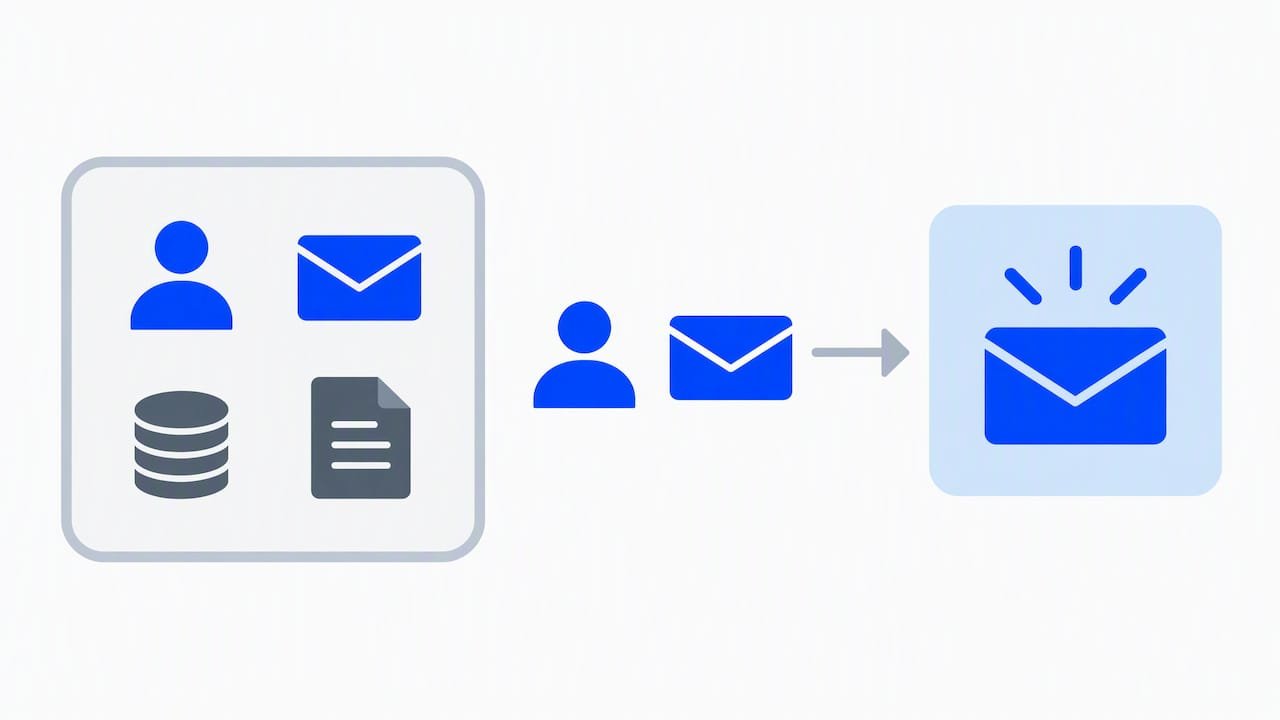
Next, control access. Use a shared team account or a clearly managed set of connections instead of one person’s personal logins, and remove connections when someone leaves. Keep API keys and webhook URLs out of shared documents and chat threads, since a webhook URL works like a password.
Be careful with sensitive details. Avoid sending bank or tax information through general-purpose steps and notification channels. Keep that data in the system built to hold it, and pass along only a reference ID.
Finally, check your obligations. Privacy rules differ by country, and the right requirements depend on where your affiliates live and where you operate, so confirm them against the primary source or a qualified professional rather than assuming one rule fits everyone. Our EEAT and disclosure guide for affiliate sites covers the disclosure side, and an ethical-use framework such as the one in our ethical AI marketing article is a good companion when AI steps touch personal data.
How do you measure whether your Zapier automation is working?
Automation that you never measure is just a hobby. Choose what to measure before you launch, record a baseline, and compare after a few weeks.
The measures that matter are practical ones. How long does it take from an affiliate signing up to receiving a welcome message? How many sign-ups need manual fixes each week? How often do your logged commissions disagree with the platform’s own totals? How many hours of copy-and-paste did you get back? None of these needs fancy tooling. A simple sheet with regular entries is enough.
Build the measurement into the Zaps themselves. Add a timestamp column at each stage so you can see where records stall. Add an error log: when a Filter stops a record for missing data, write that record to a “needs attention” tab instead of dropping it silently. A growing error tab tells you exactly which Zap needs work.
Then connect the numbers to results. Faster onboarding only matters if activated affiliates go on to drive sales, so compare activation and conversion rates for affiliates onboarded manually versus automatically. For the attribution side, our deep read on affiliate attribution models explains how to test what drives sales, and our look at AI marketing analytics helps you read the dashboards you build.
Why most affiliates should automate less, not more
The conventional advice is to automate everything you can. We think that is backwards for anyone starting out, and the evidence in this article points the same way.
Look at where automations actually fail: bad links, empty fields, duplicate records, payloads that are too big. Not one of those is solved by adding more automation. Every one is solved by cleaner inputs. The affiliate who automates five messy processes gets five messy results, faster. The one who automates a single clean process gets a result they can trust and then copy.
So prioritize in this order. First, fix your tracking links and write down your field mapping. Second, automate the one task that costs you the most repetitive time, which for most people is onboarding. Third, add measurement. Only after that should you branch into Paths, AI steps, and content distribution. Overrated: elaborate multi-branch Zaps built before the basics work. Underrated: the boring shared test-data set that lets you check every new Zap quickly.
If a recipe makes you nervous, that is a sign to shrink it, not to push through.
— Will
How our course and templates speed up implementation
If you want to learn more about AI workflow automation, explore our AI workflow automation guide.

Here is what you get:
Explore our AI workflow automation guide.
FAQ
How do I learn affiliate marketing from scratch?
Start with one traffic channel and one program, and learn by publishing and tracking real results. A beginner’s walkthrough such as our YouTube affiliate marketing guide gives you a concrete first project. Add automation only after you have a process worth automating.
Can I use Zapier as a CRM?
Not really. Zapier moves data between apps, but it does not store contacts and relationships the way a CRM does. Pair it with a CRM or an Airtable base, and let Zapier handle the Find-or-Create and notification steps around it.
Can I use ChatGPT for affiliate marketing?
Yes, for drafting, summarizing applications, and brainstorming angles. Keep a human review step before anything publishes or touches commissions, and always add your affiliate disclosure. Our AI content strategy rollout shows how to structure that work.
Do I need a webhook for affiliate automation?
Not usually. Built-in app triggers handle most programs with less setup and fewer errors. Use a webhook when your platform lacks the event you need, and make sure the payload is valid JSON, XML, or URL-encoded.